
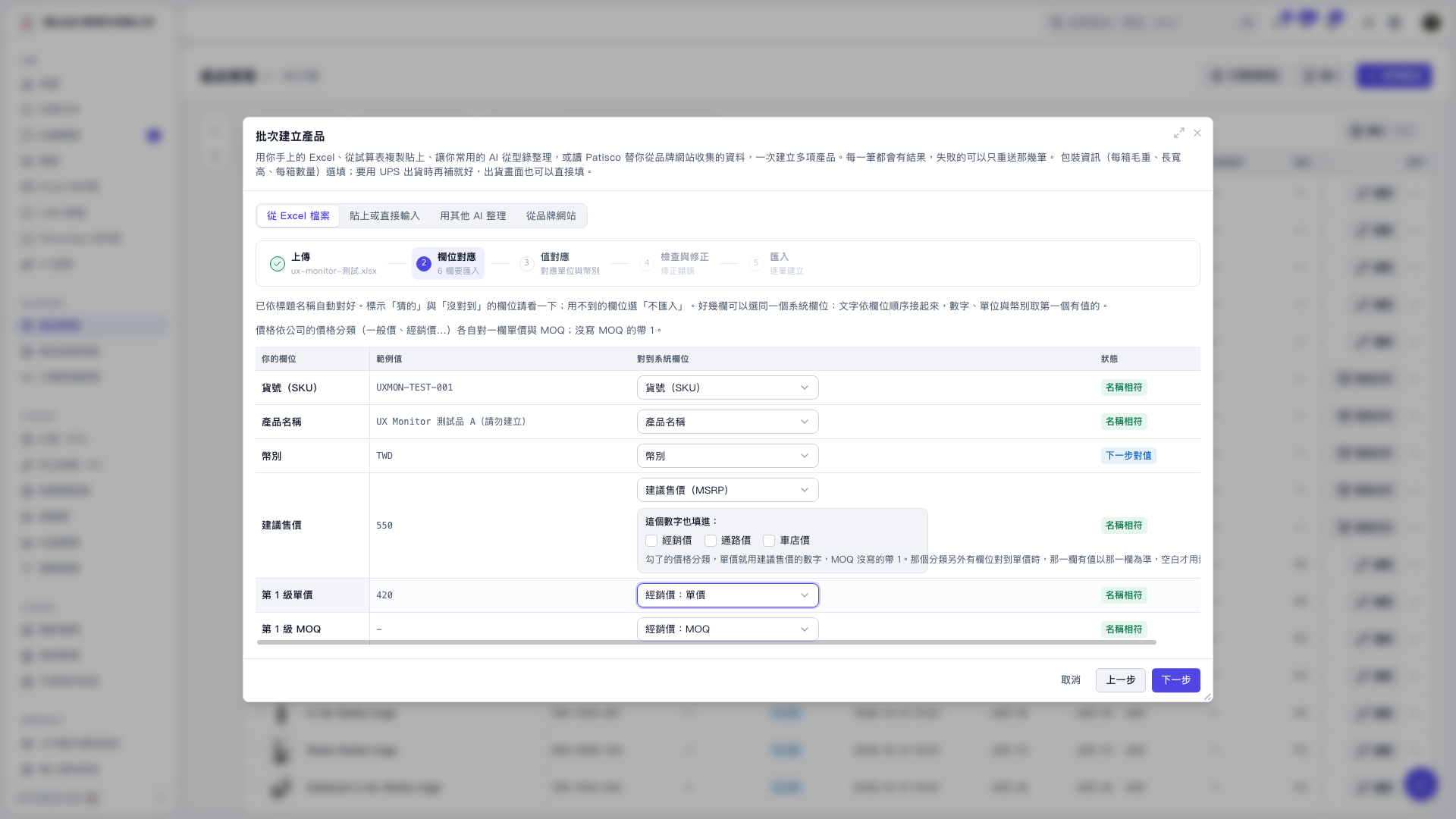
1. On the field mapping screen in "Bulk Create Products", find the suggested retail price row and set "Map to System Field" to "Manufacturer's Suggested Retail Price (MSRP)". 2. In the "Also Use This Number For" section of that row, select "Distributor Price", "Channel Price", or "Bike Shop Price" as needed. 3. If a price category has another source field mapped to its unit price, the system will prioritize that field's value. The selected MSRP will be used only when that field is blank. 4. After confirming the mappings, click "Next" to continue mapping values such as units and currency.
 V5 新桌面版|批次建立產品