
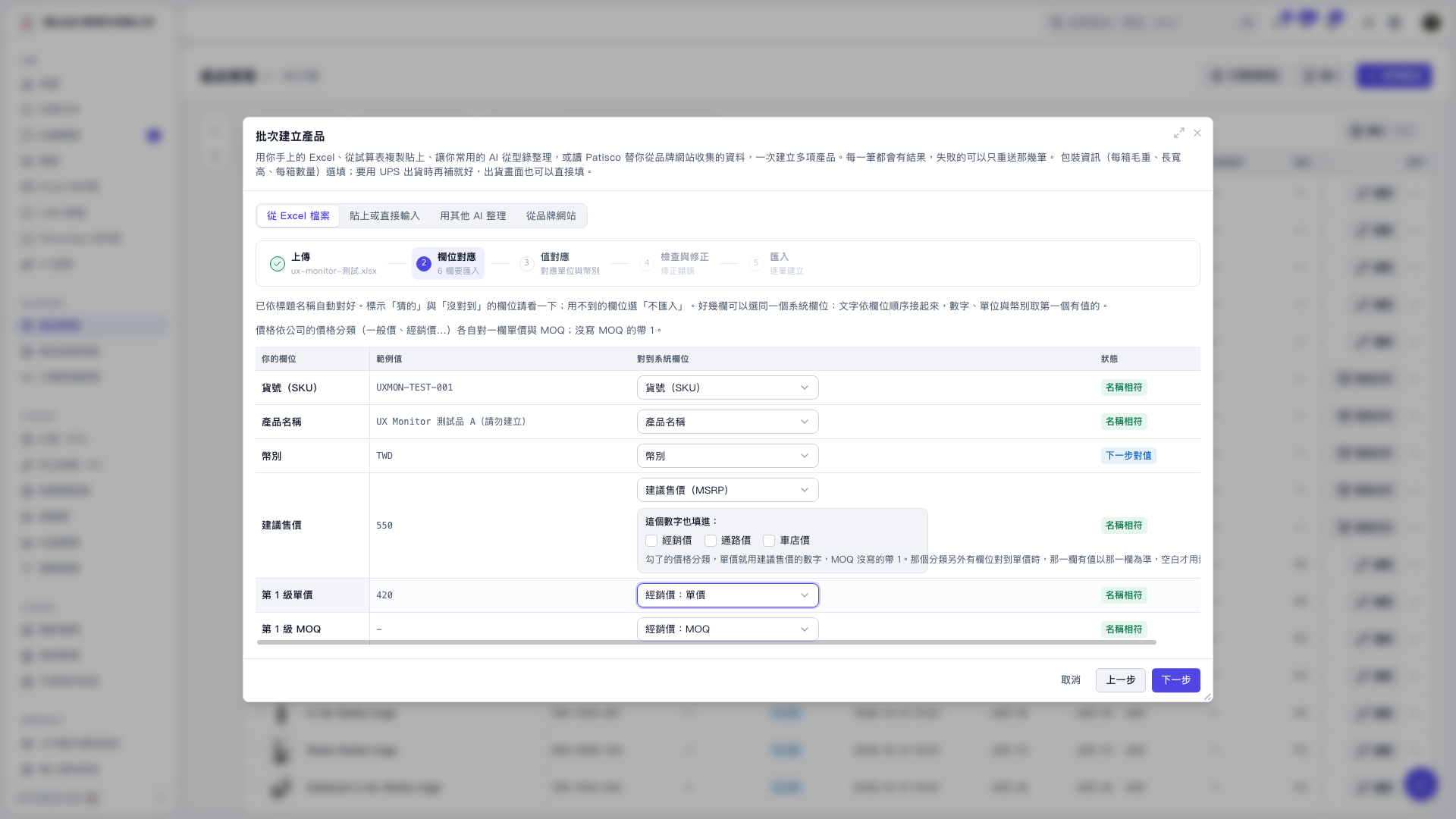
1. On the field mapping screen in “Batch Create Products,” check “Your Fields” and “Sample Values” to confirm the source data. 2. Set “Map to System Field” for the “Tier 1 Unit Price” row to “Dealer Price: Unit Price.” 3. Set the “Tier 1 MOQ” row to “Dealer Price: MOQ.” If MOQ is not provided, the system defaults to 1. 4. Select “Do Not Import” for fields you do not need to import. Confirm that the remaining fields are mapped correctly, then click “Next.”
 V5 新桌面版|批次建立產品