
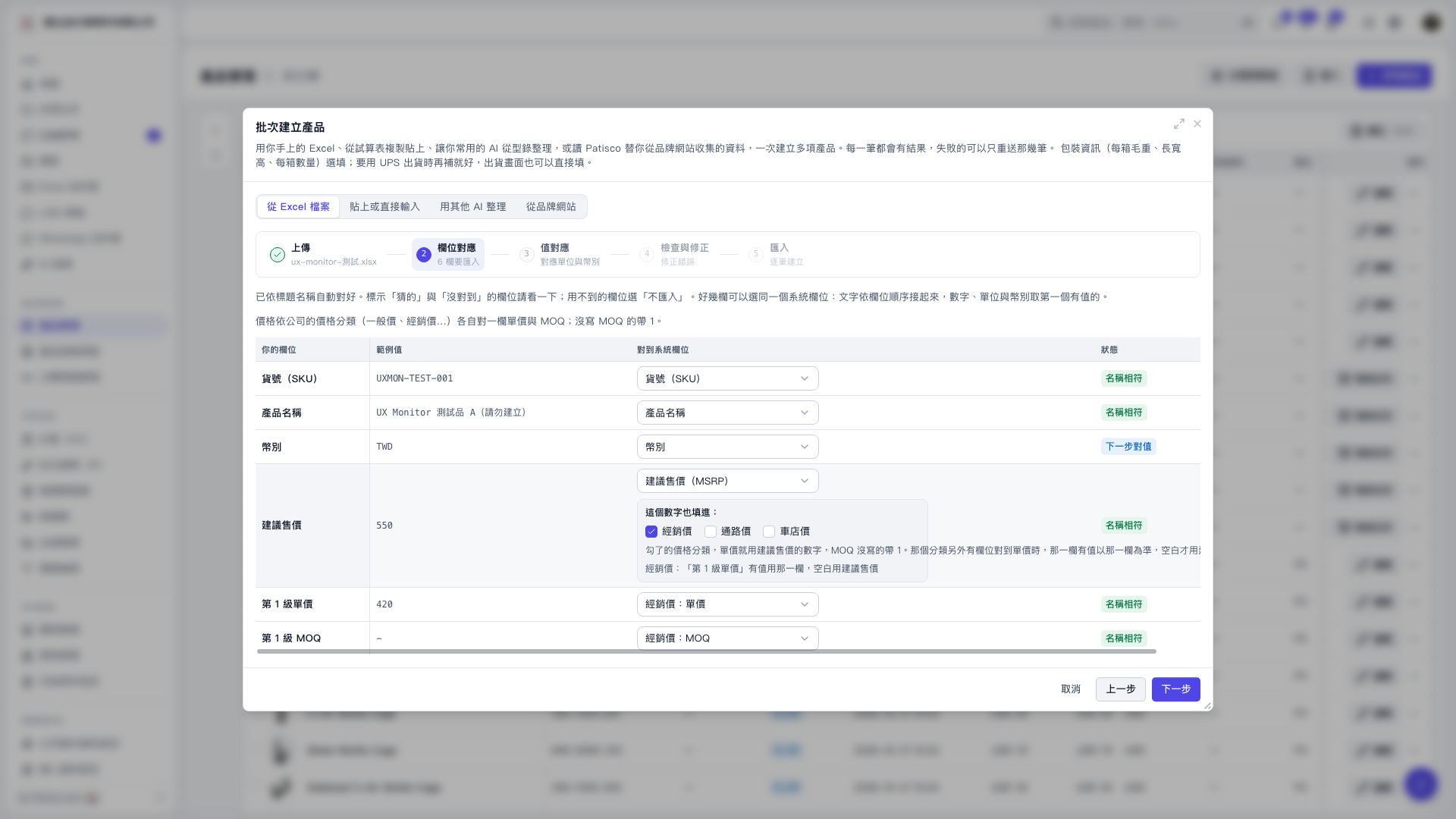
1. Map the suggested retail price field to “Suggested Retail Price (MSRP).” 2. In the “Also Fill This Value Into” section of that row, select “Dealer Price,” “Channel Price,” or “Bike Shop Price” as needed. “Dealer Price” is currently selected on the screen. 3. If a separate unit price field is also mapped to the same price category, its value takes priority when present. The suggested retail price is used only when that field is blank. If MOQ is not provided, it defaults to 1. 4. Confirm the field mappings, then click “Next.”
 V5 新桌面版|批次建立產品