
1. Select “Dashboard” on the left and open “Data Analytics.” 2. Find the “Who is viewing your catalog” section and click “7 days” in the upper right. This option is already selected on the current screen. 3. Review the number of companies and views for each catalog, as well as the number of products viewed, viewing time, and cart days for each public link. This test showed that “Dingli Parts Catalog” was viewed by 2 companies a total of 33 times in the last 7 days. 4. To compare other periods, click “30 days” or “90 days.”
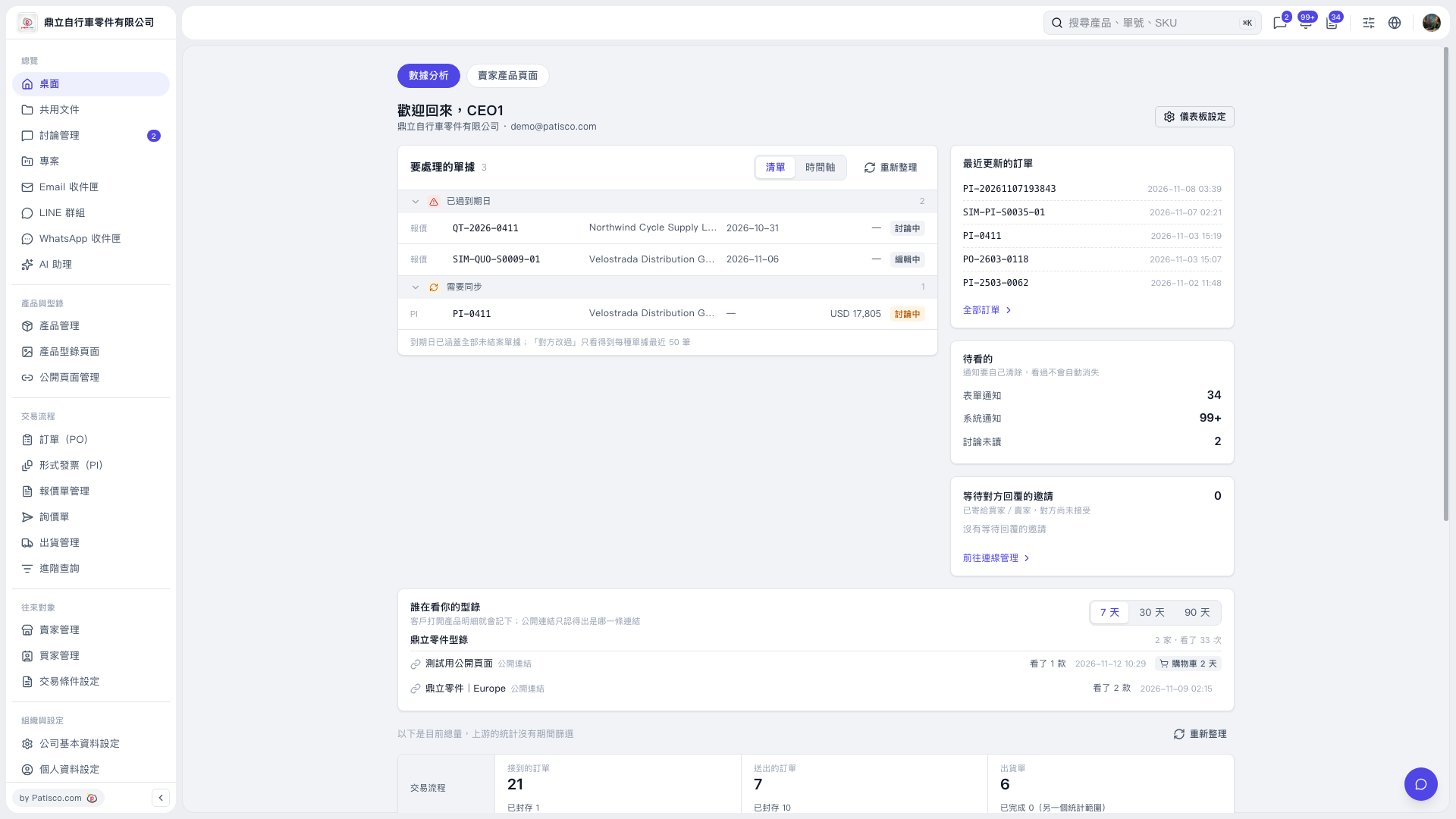 V5 新桌面版|桌面-數據分析