
1. Find the item you want to change in the item list on the PO details page, then click "Edit" on the right side of that row. 2. Change editable fields such as "Unit Price" and "Quantity." Only one row can be edited at a time, and the fields follow the same order as the column headers. Fields that cannot be updated, such as "Subtotal," will not become input fields. 3. Press Enter to save or Esc to cancel. For multiline fields, press Ctrl/⌘ + Enter to save. 4. Check the item's "Subtotal" and the "PO Total" at the bottom right to confirm that the amounts are correct. 5. After checking the PO details, click "Confirm" in the upper-right corner of the page.
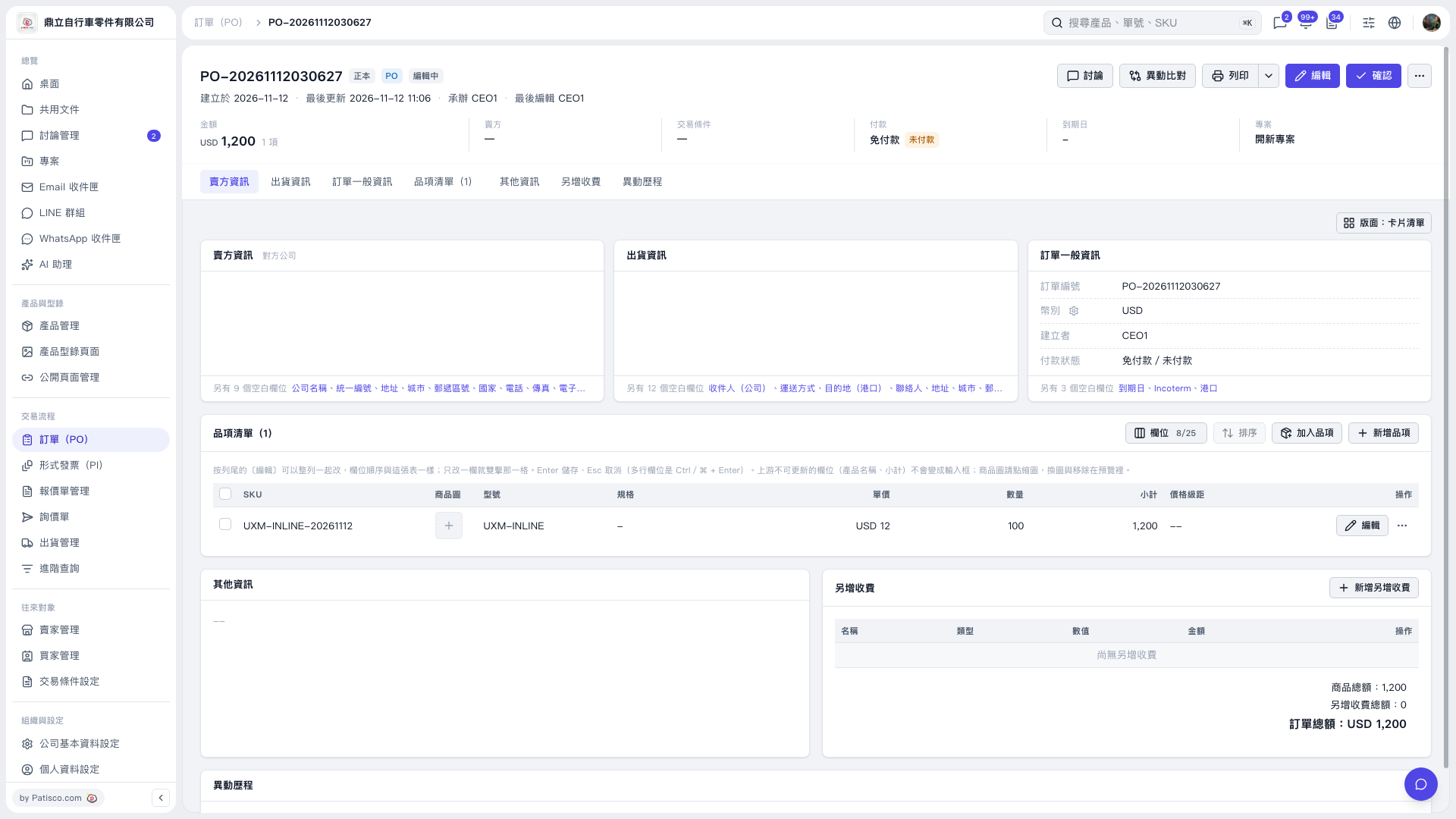 V5 新桌面版|訂單詳情:PO-20261112030627