
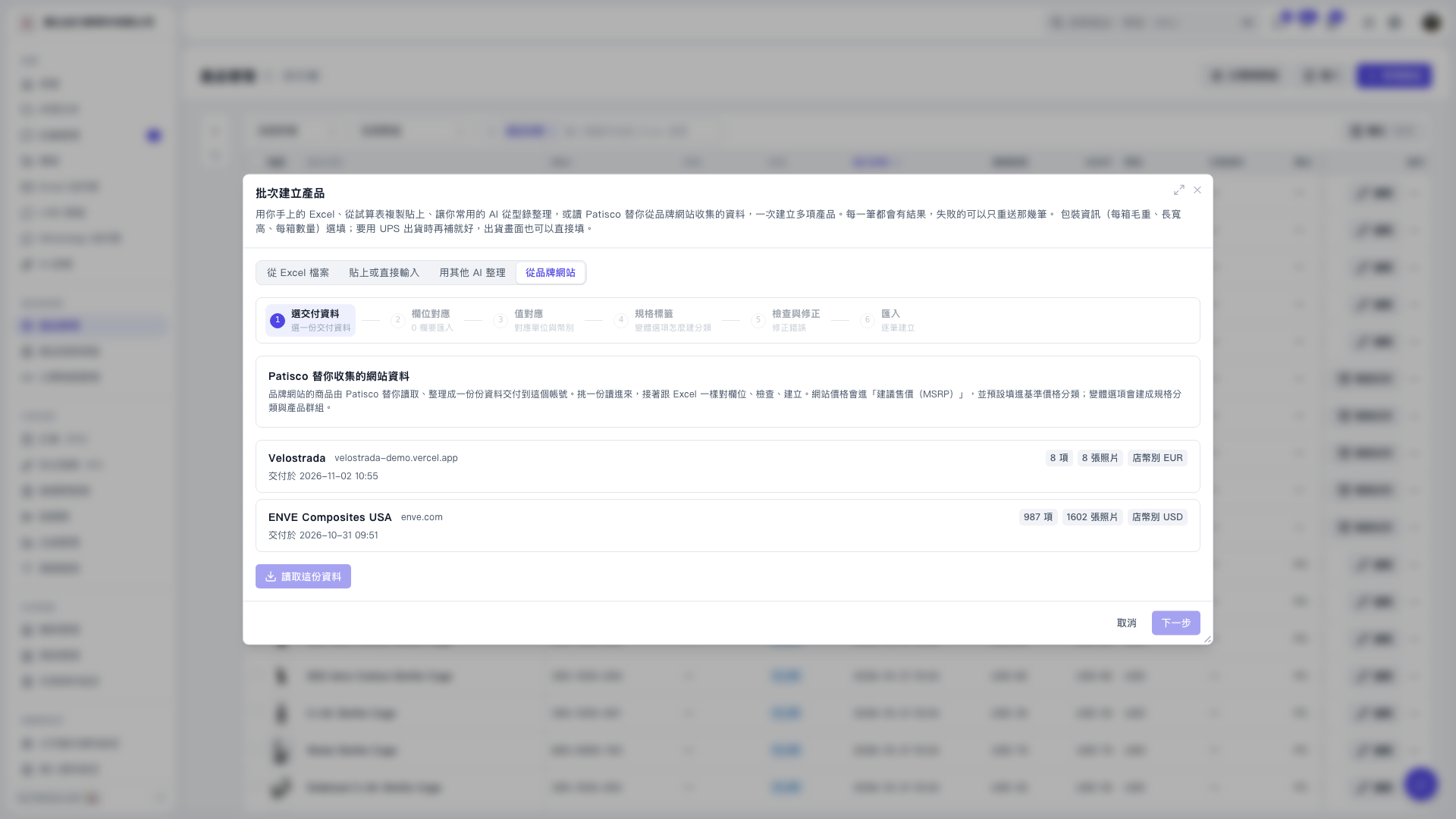
1. In the "Batch Create Products" window, switch to the "From Brand Website" tab. 2. Select the delivery data you want to import, such as "Velostrada" or "ENVE Composites USA", and confirm the brand name, brand website, delivery time, number of products, number of photos and currency. 3. Click "Load This Data" and wait for it to complete, then click "Next" to proceed with field mapping. 4. Complete "Value Mapping", "Specification Tags" and "Review and Correct" in sequence. 5. Enter the "Import" step, create products one by one and view results; failed data can be resubmitted individually.
 V5 新桌面版|批次建立產品