
1. Open the Proforma Invoice and first check the document number, buyer, amount, and payment status at the top. 2. Review "Buyer Information", "Shipping Information", and "General PO Information". To make changes, click "Edit" at the top right. 3. In "Item List (1)", check the specifications, unit prices, and quantities. To add more items, click "Add Items" or "New Item". 4. Review "Shipping Progress". Click shipment document number "SIM–SHP–S0020–01" to open the corresponding shipment document. 5. After confirming that the information is correct, click "Send" at the top right. To print, click "Print".
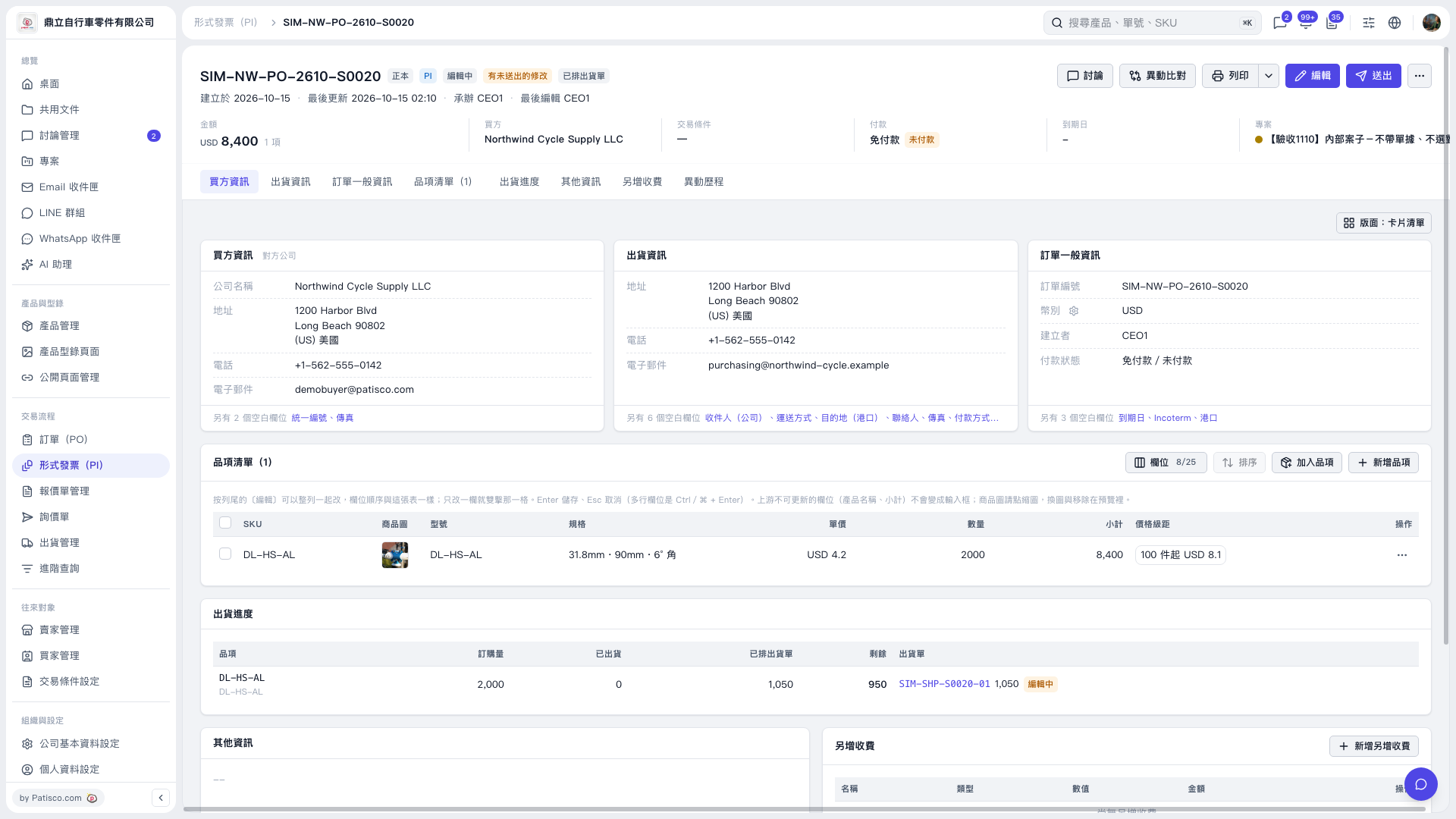 V5 新桌面版|形式發票 SIM–NW–PO–2610–S0020