
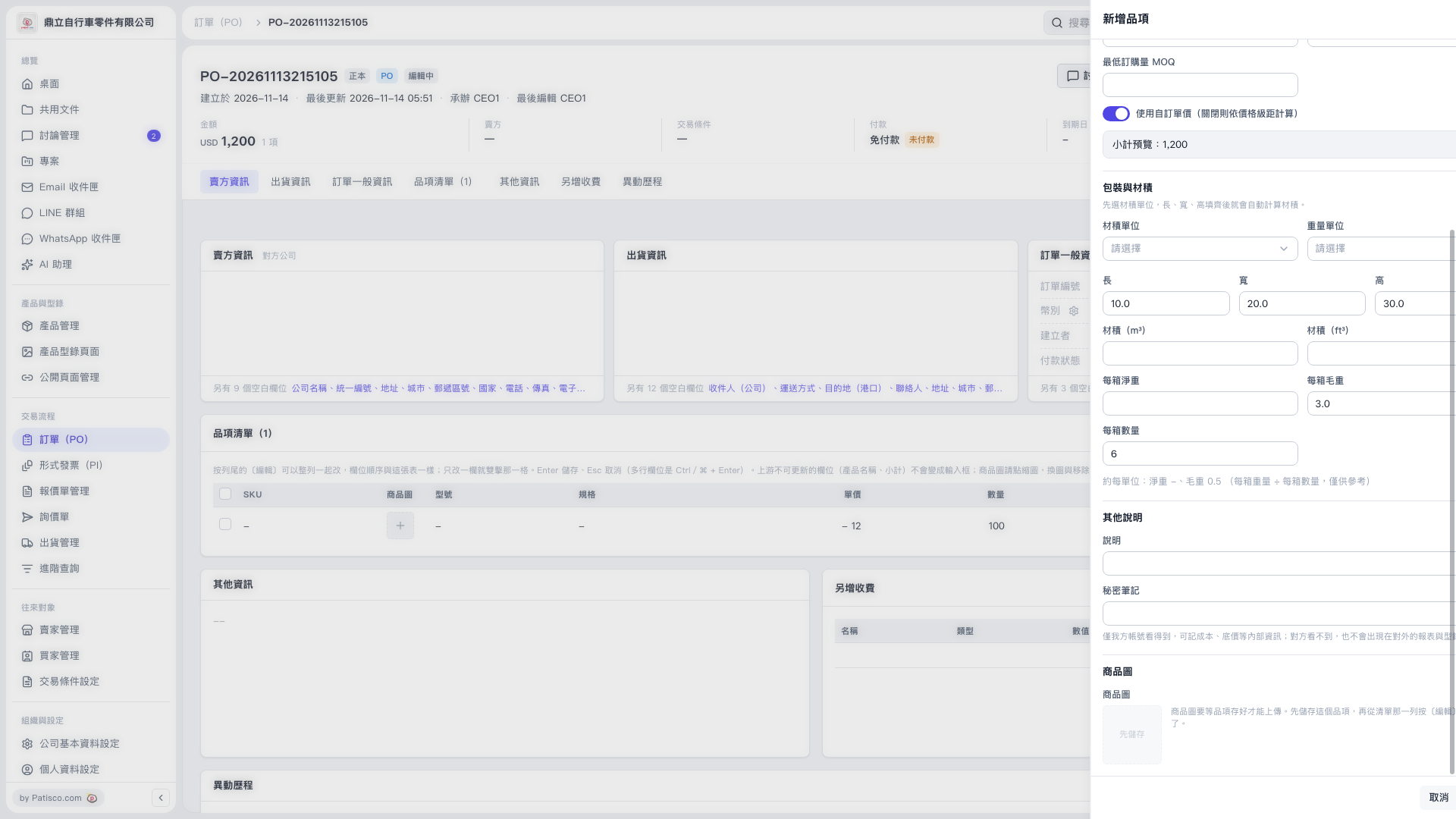
1. In the "New Item" panel, check "Minimum Order Quantity (MOQ)". 2. Check the "Use custom unit price (turn off to calculate by price tier)" toggle. When it is on, a custom unit price is used. When it is off, the price is calculated by price tier. Also check the "Subtotal Preview". 3. Under "Packaging and Volume", select the "Volume Unit" and "Weight Unit", then enter or check the "Length", "Width", and "Height". The system will automatically calculate the volume. 4. Enter the "Net Weight per Carton", "Gross Weight per Carton", and "Quantity per Carton", and refer to the approximate weight per unit shown below.
 V5 新桌面版|訂單 PO-20261113215105