
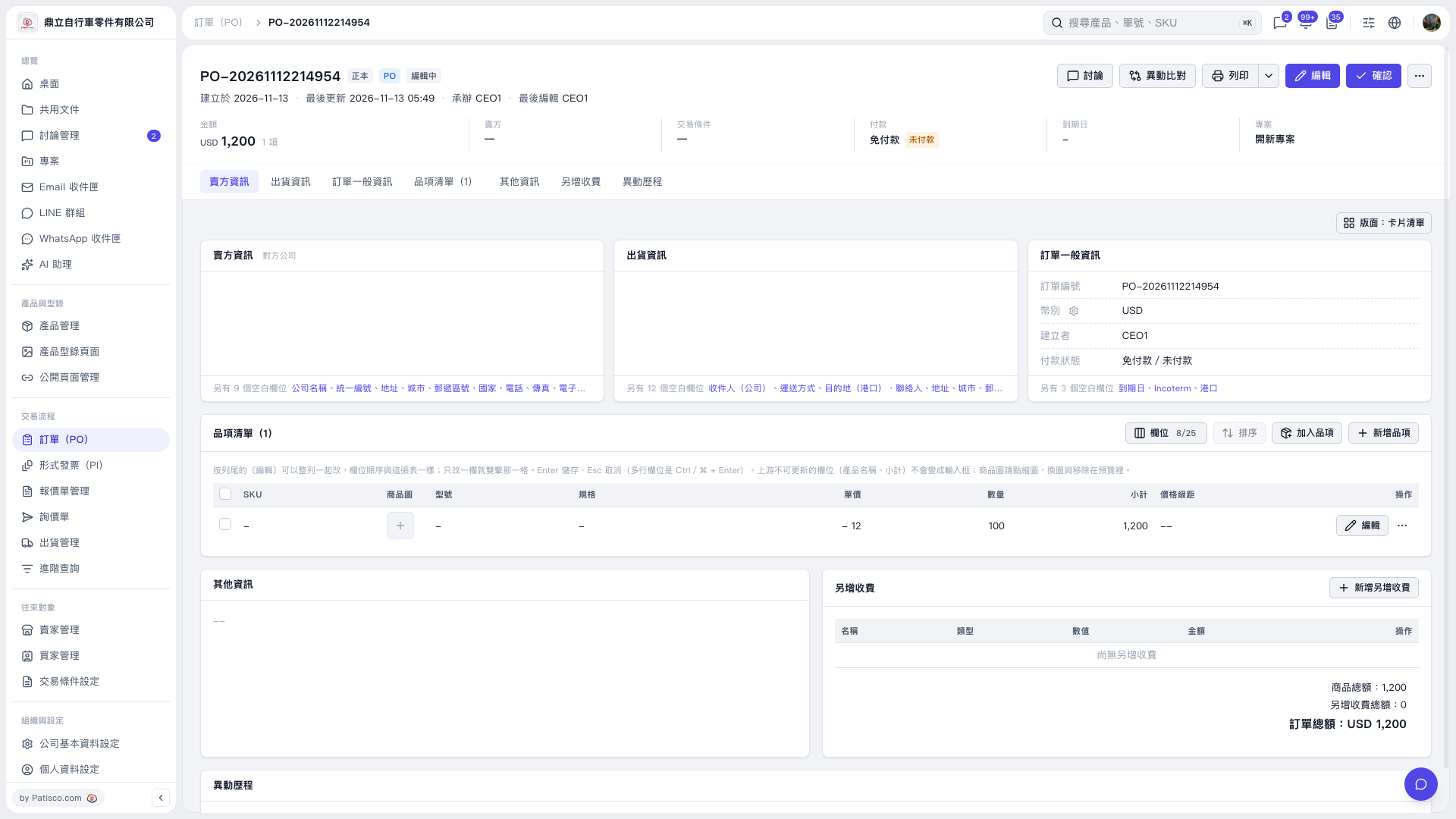
1. Open the order you want to print and first verify the order number, items, quantity, and order total. 2. Click "Print" in the top right corner to start the order printing process; when you need other print options, click the dropdown arrow next to "Print". 3. Continue with the process shown on the subsequent screen. This test used "Patisco Standard (Default)", displaying quantity 100, unit price USD 12, and order total USD 1,200 for verification.
 V5 新桌面版|PO-20261112214954