
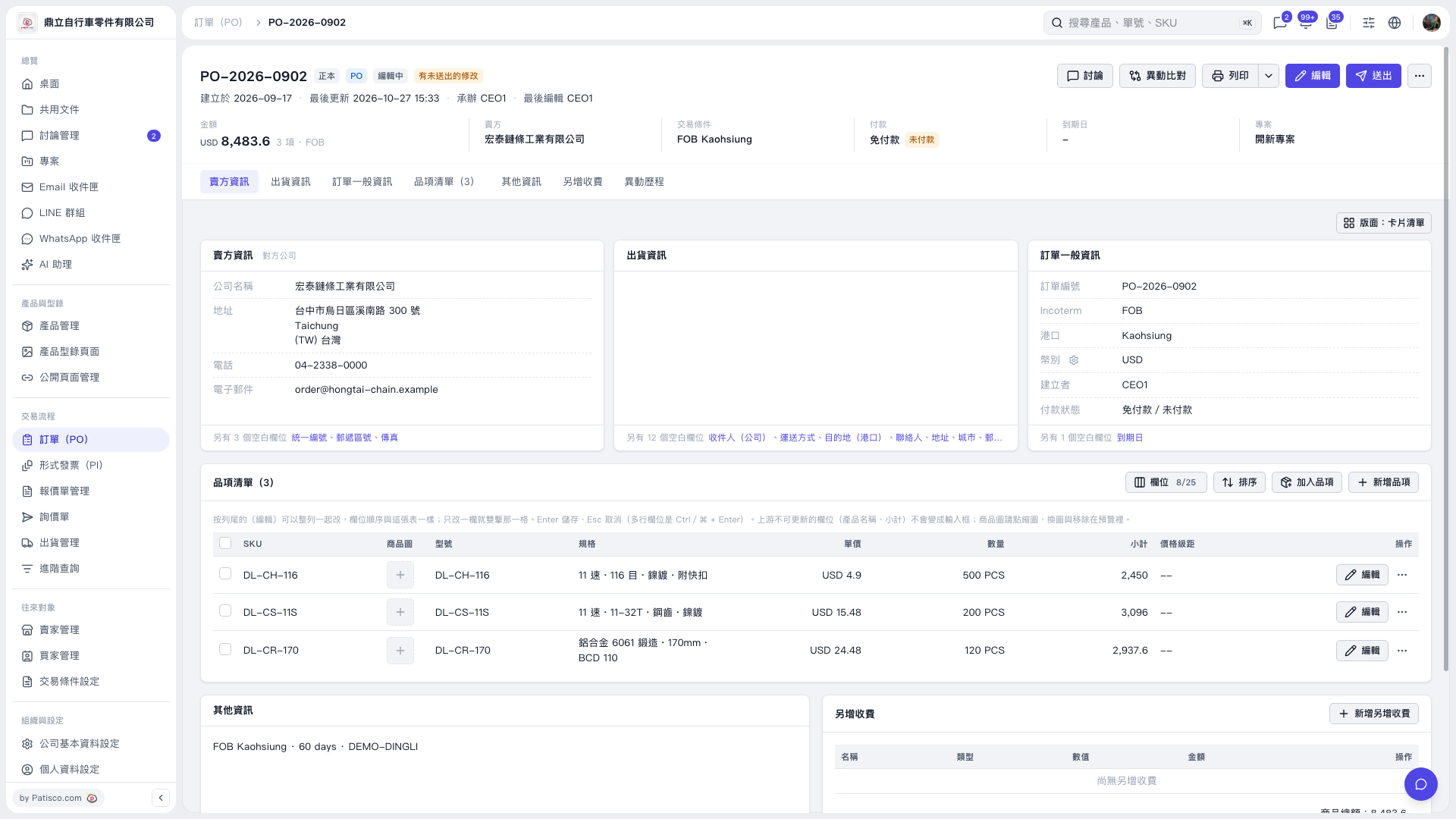
1. Open the PO details and first check the PO number, seller, amount, trading conditions, and payment status. 2. Click “Edit” in the upper-right corner to change the PO details. Use tabs such as “Seller Information,” “Shipping Information,” and “General PO Information” to view the corresponding content. 3. If there are additional charges, go to the “Additional Charges” section, click “Add Additional Charge,” and enter the details. 4. After editing, check the details and amounts. You can click “Diff View” to review the changes, then click “Send” in the upper-right corner.
 V5 新桌面版|PO-2026-0902