
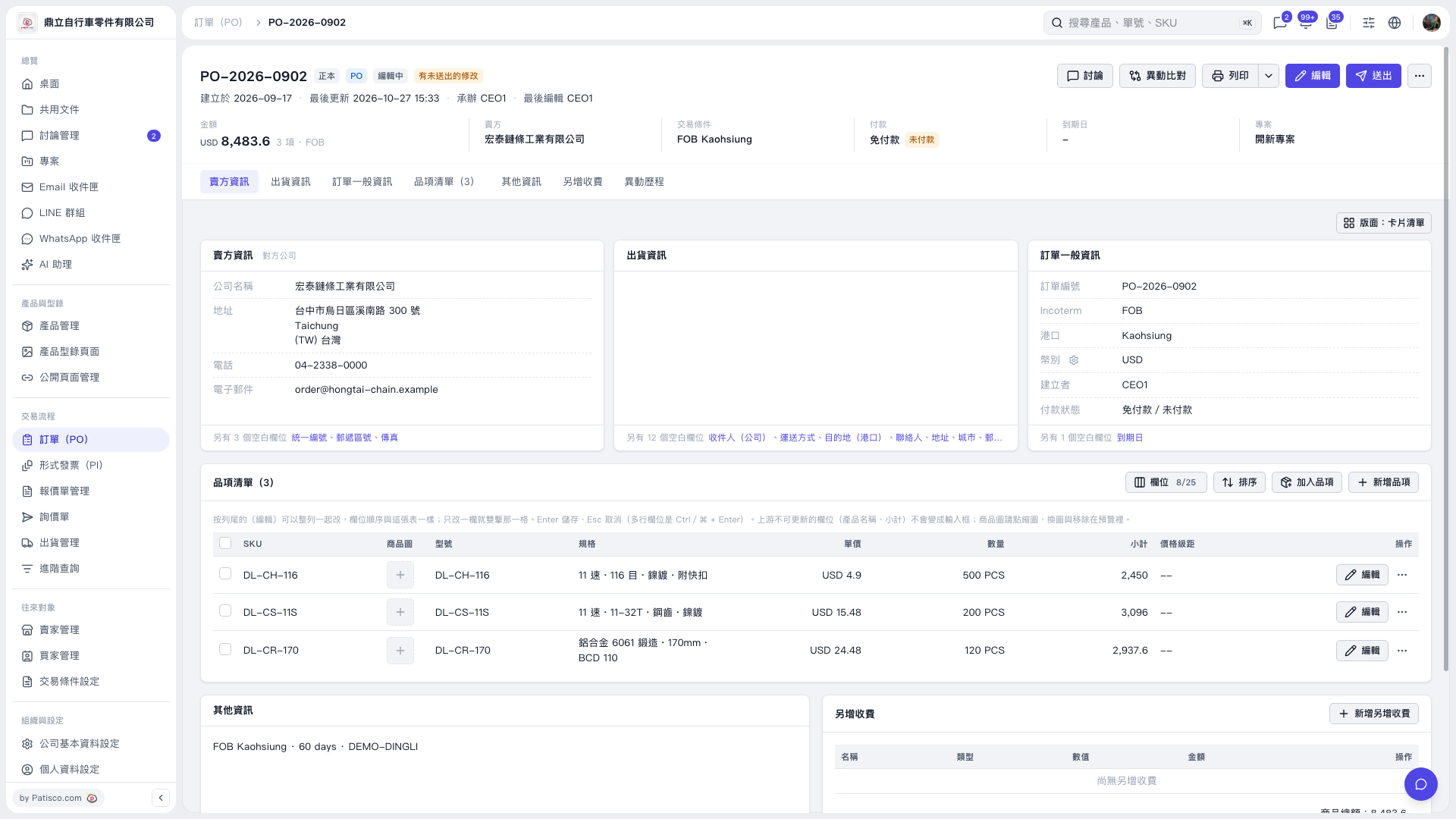
1. In the PO details, click “Item List (3)” to view the current items. 2. To edit an item, click “Edit” on the right of its row. If “Edit” appears next to a field, you can also click it to edit the field directly. Press Enter to save or Esc to cancel. 3. To add existing items, click “Add Items.” To create a new item, click “New Item.” 4. Check the items, quantities, unit prices, and amounts, then click “Send” in the upper-right corner.
 V5 新桌面版|PO-2026-0902