
1. Find the product you want to edit in the item list and click "Edit" on the right side of its row. 2. Edit one editable field at a time, then press Enter to save or Esc to cancel. For multiline fields, press Ctrl/⌘ + Enter to save. 3. Check "Quantity", "Subtotal", and "PO Total". After confirming that the data is correct, click "Confirm" in the upper-right corner.
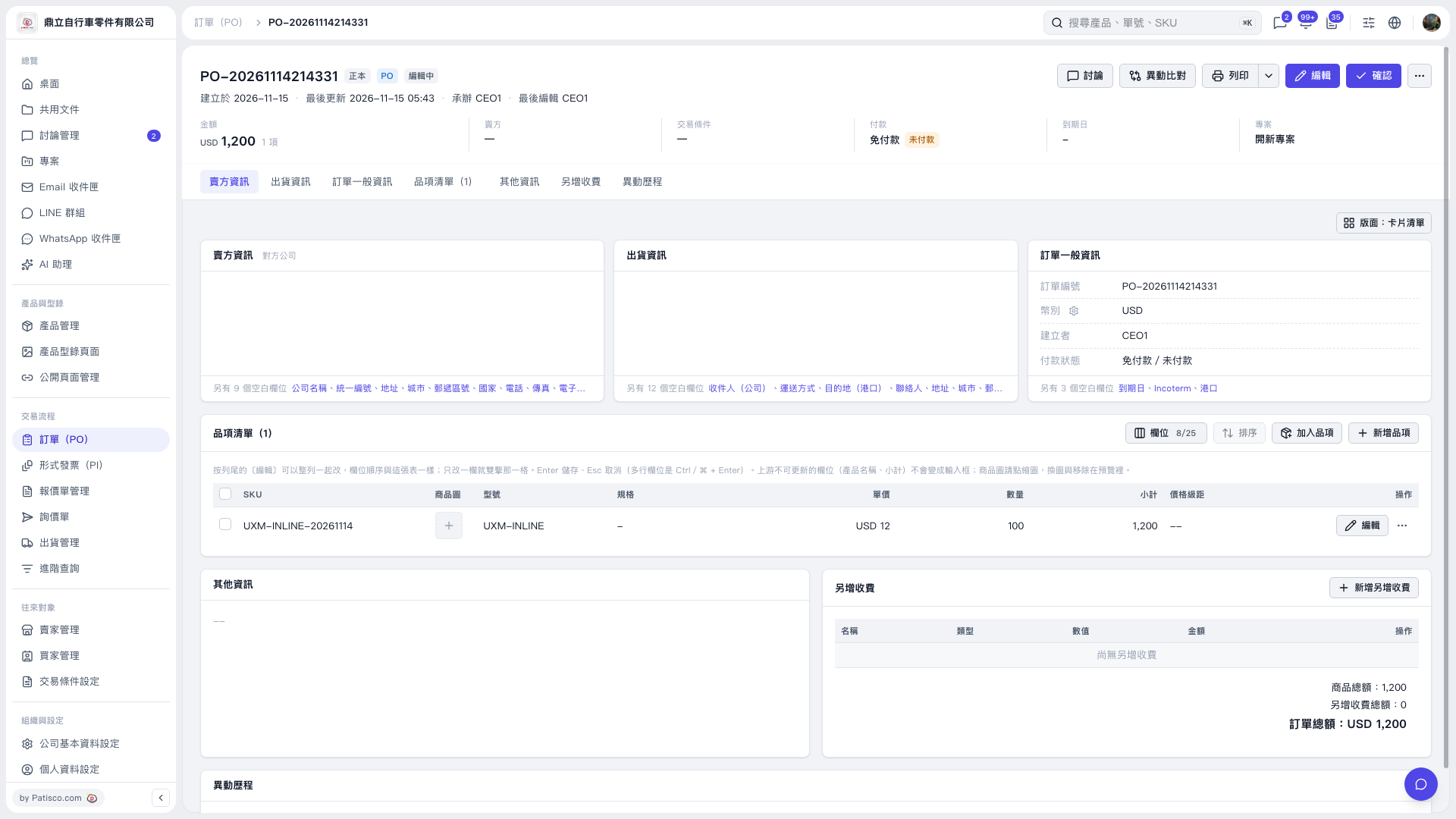 V5 新桌面版|PO–20261114214331