
1. On the quotation details page, click “Edit” in the upper-right corner to edit the quotation information. 2. To add products, click “Add item” or “New item” in “Item list (3)”. 3. To edit an existing line item, click “Edit” on the right side of its row. While editing, press Enter to save or Esc to cancel. 4. Adding, editing, and deleting line items are saved immediately and are independent of the “Edit” button in the upper-right corner of the page.
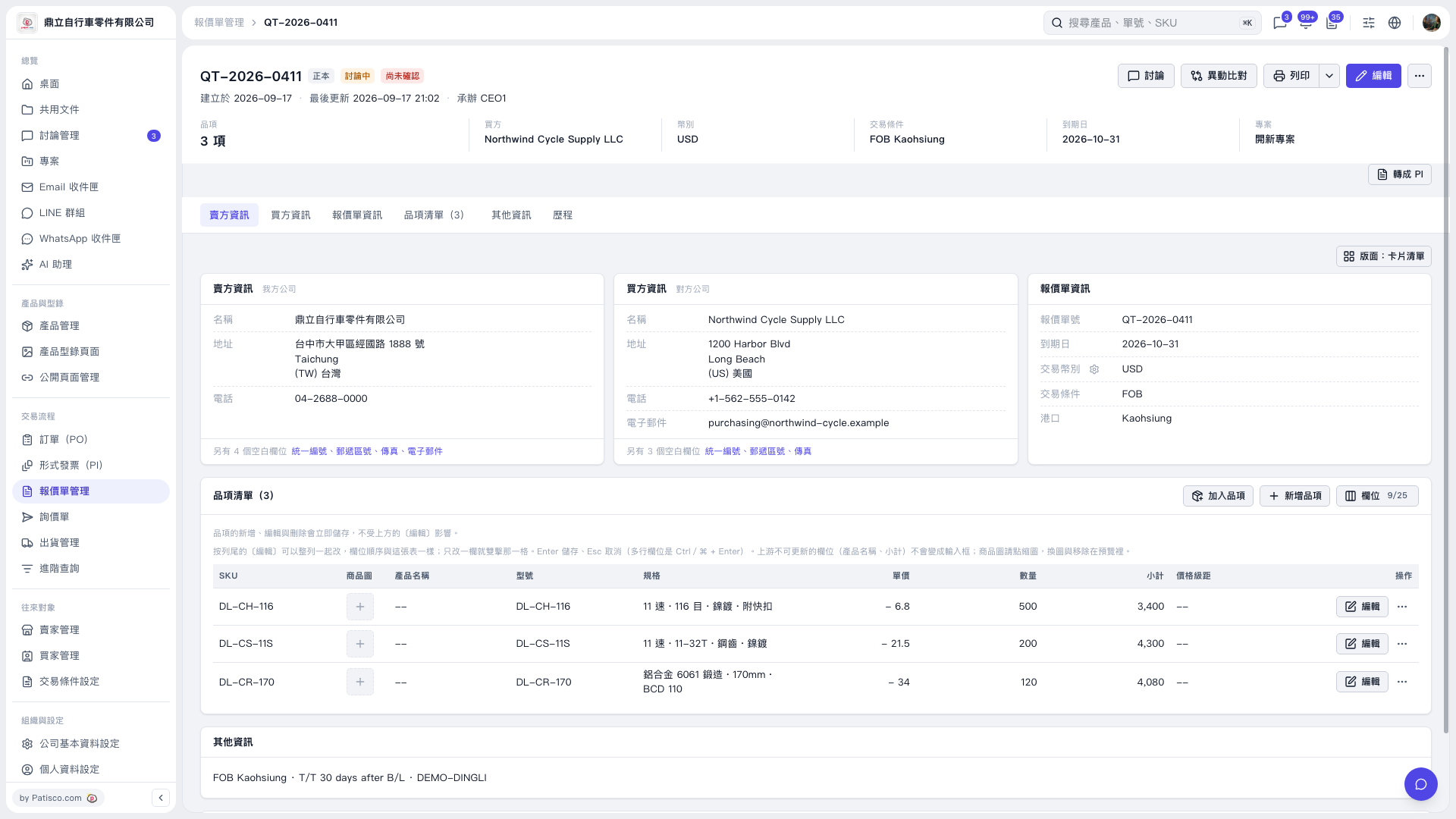 V5 新桌面版|報價單明細 QT–2026–0411