
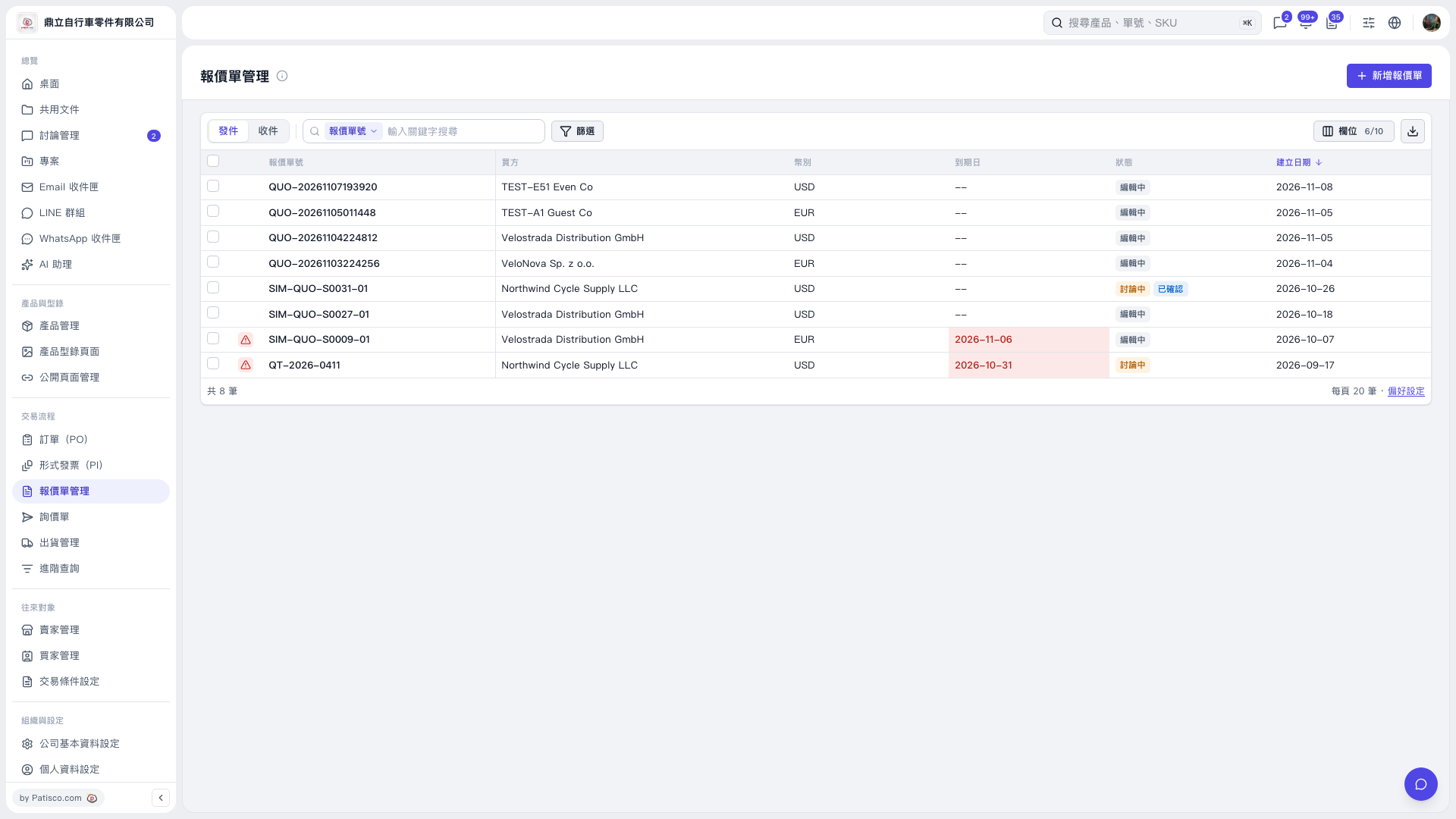
1. In the upper left of the list on the “Quotation” page, select “Sent” or “Received” to view the corresponding quotations. “Sent” is currently selected by default. 2. Select “Quotation Number” as the search field, then enter the quotation number you want to find in “Enter a keyword to search”. You can also click “Filter” to narrow the results. 3. Check the buyer, currency, expiration date, and status in the list, and watch for expiration date warnings in red.
 V5 新桌面版|報價單管理