
1. Go to the "AI assistant" page and click "New chat" at the top left. 2. Enter your question in the input box at the bottom; you can also click "Quick actions" to choose a preset task. 3. If you need to provide a file, click "Attachment" (paperclip icon) on the right side of the input box to add it. 4. Press Enter or click "Send" (paper plane icon) to send your question; to start a new line, press Shift + Enter.
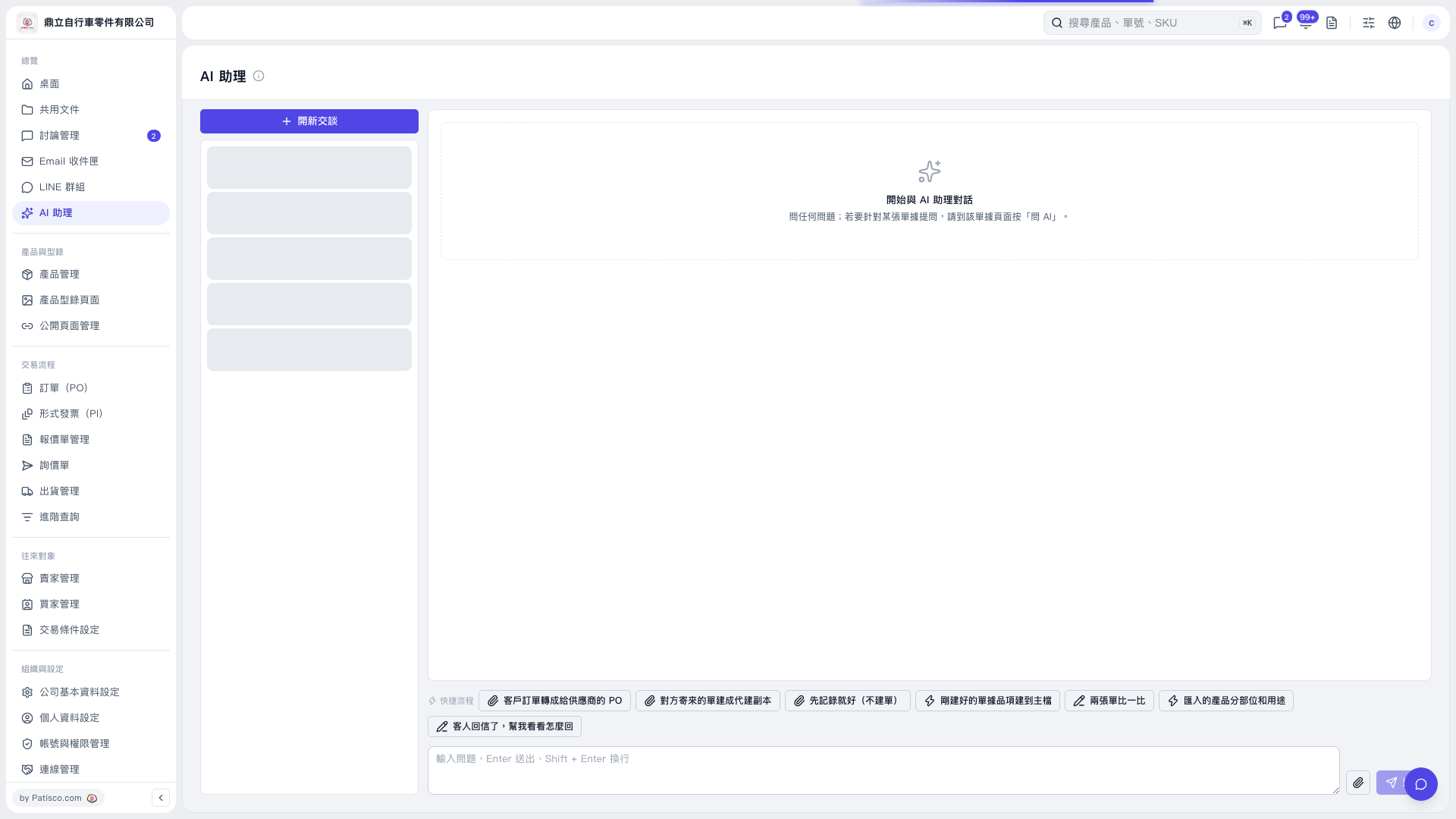 V5 新桌面版|AI 助理