
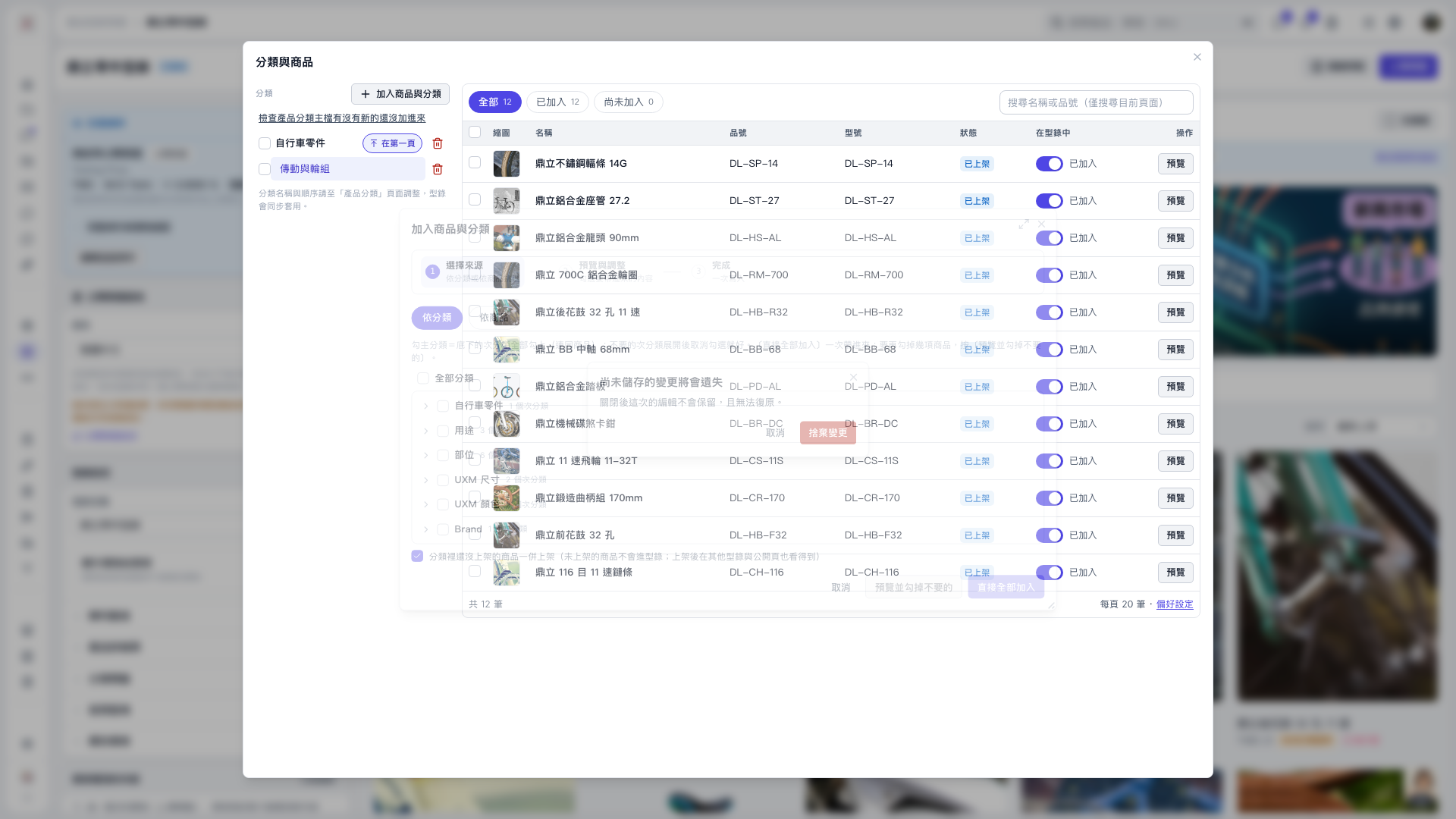
1. In the catalog's "Manage Categories and Products", click "Add Products and Categories". 2. Select "By Category" or "By Product", then select the items you want to add. Selecting a main category also selects its subcategories and products. You can also use "All Categories" to select all categories, then deselect the ones you do not want. 3. Check whether "Also Publish Unpublished Products in These Categories" meets your needs. This option is selected by default. 4. Click "Add All Directly" to add the selected items immediately, with no further confirmation step. 5. After returning to the product list, use the "Added" or "Not Added" filter and the switches in the "In Catalog" column to check and adjust the results.
 V5 新桌面版|分類與商品