
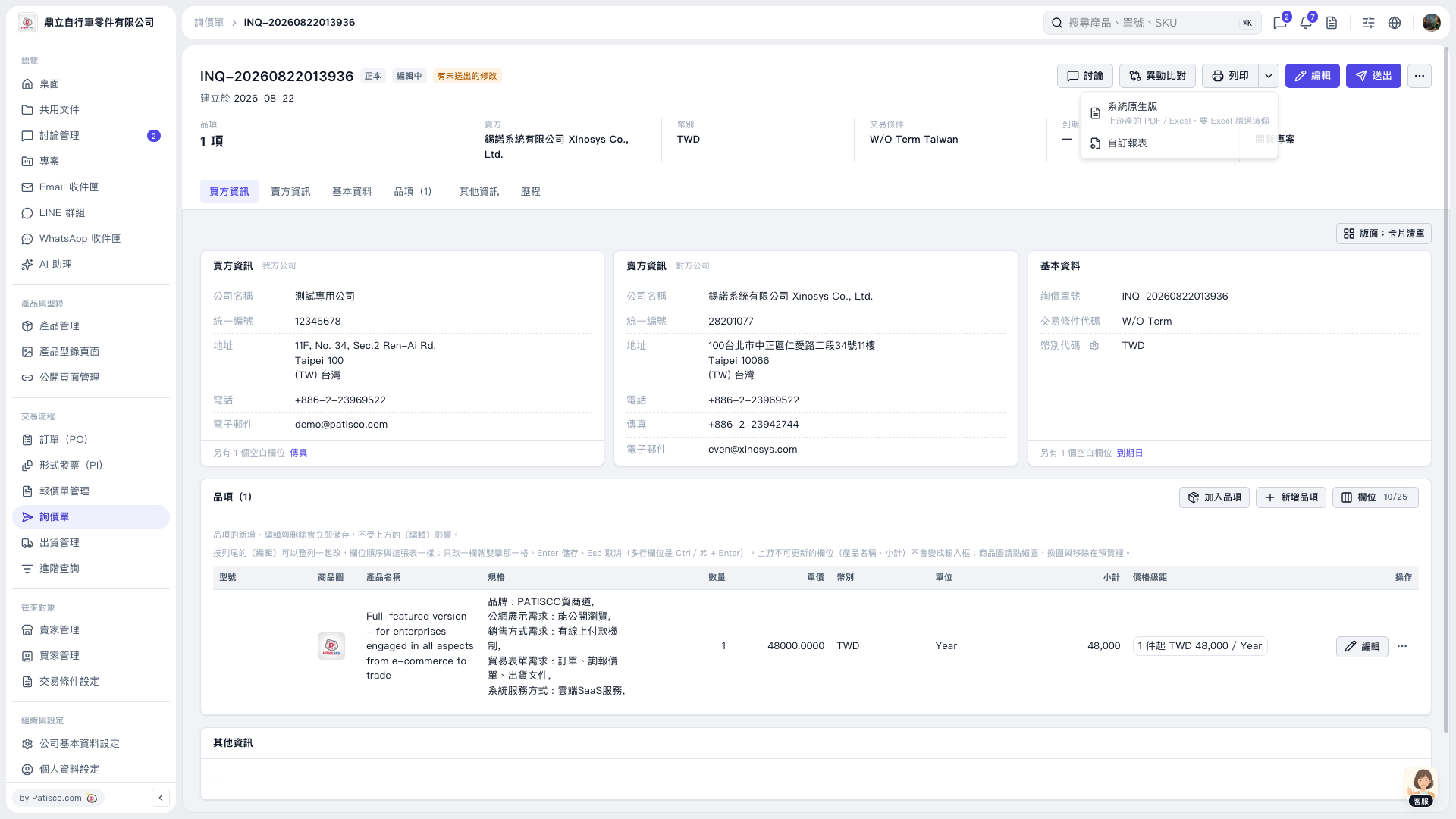
1. Open the inquiry you want to print and check the buyer and seller information and item details. 2. Click the drop-down arrow next to "Print" in the upper-right corner to expand the print menu. 3. Select "System Native Version" for the system's native format or Excel, or select "Custom Report" for a custom format. 4. Follow the instructions on the subsequent screens to complete the export or printing.
 V5 新桌面版|詢價單 INQ-20260822013936