
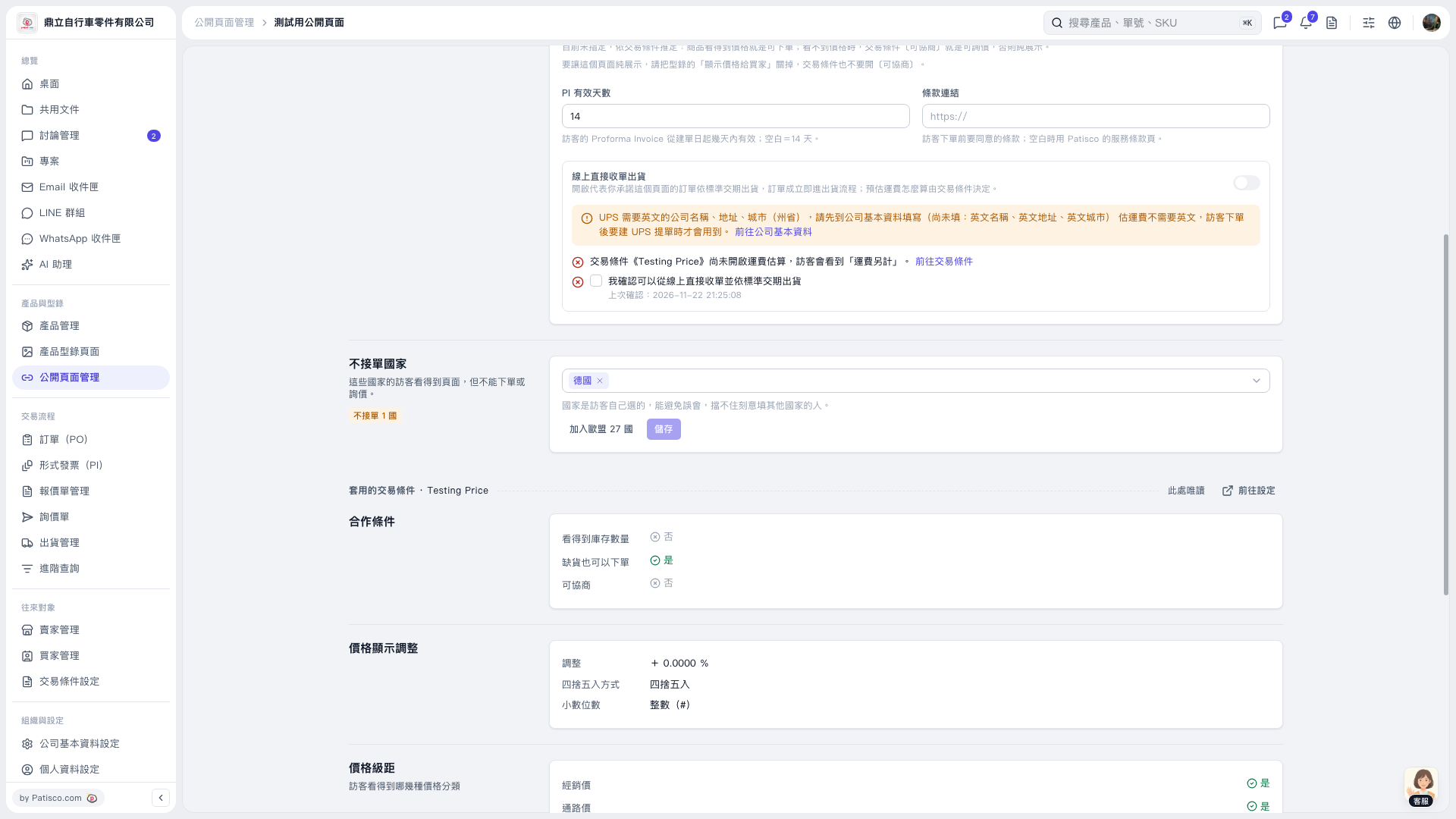
1. Open the drop-down menu in the "Countries not accepted for orders" section and select the countries from which you want to restrict orders and inquiries. 2. To add all EU countries at once, click "Add all 27 EU countries". To remove a selected country, click the "×" on its country label. 3. Confirm the list, then click "Save". 4. This restriction is based on the country visitors select themselves. If visitors deliberately select a different country, they may still be able to place orders or submit inquiries.
 V5 新桌面版|測試用公開頁面