
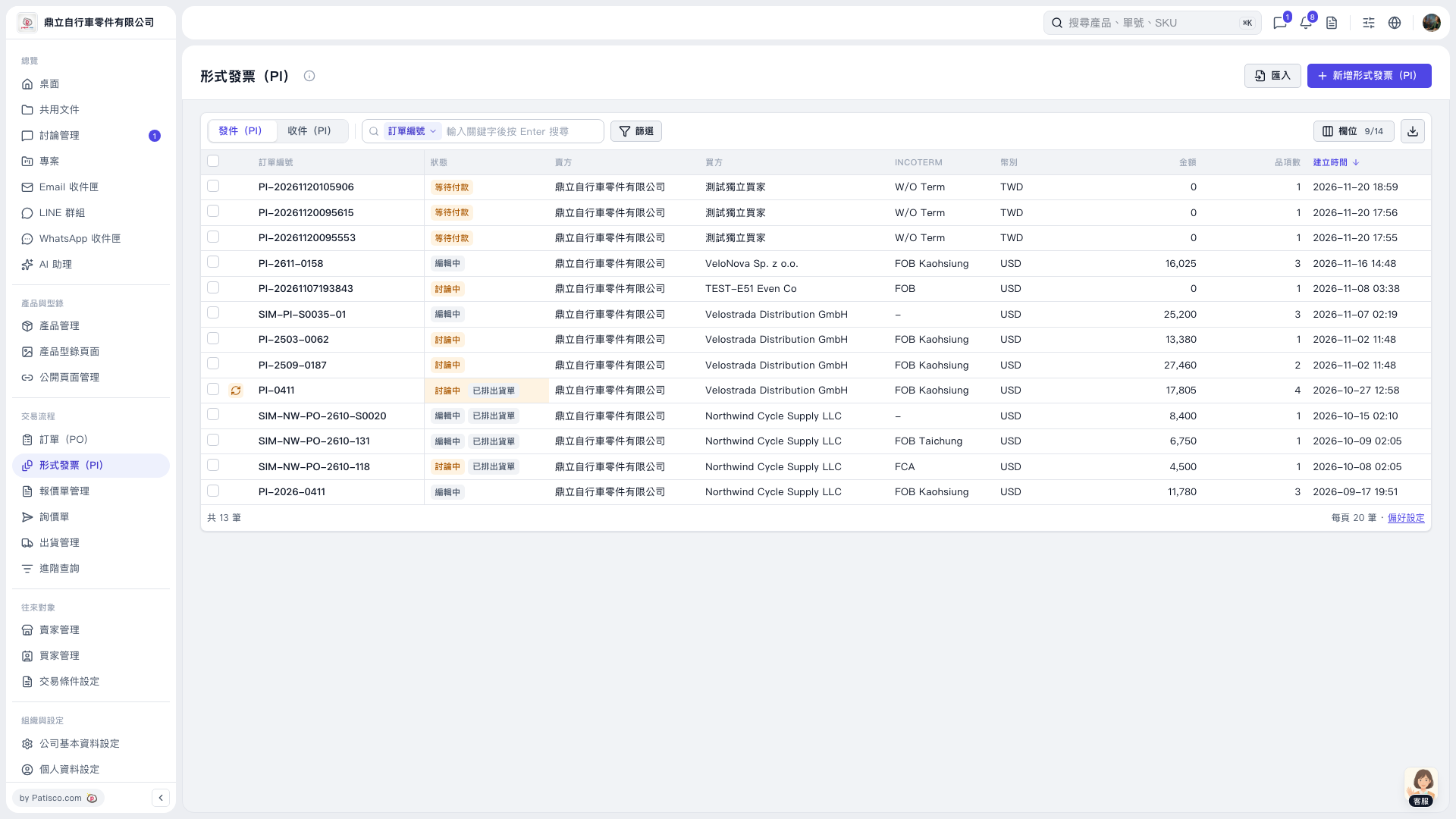
1. On the Proforma Invoice (PI) page, click [Sent (PI)] to view sent documents, or [Received (PI)] to view received documents. 2. Select a search field in the search bar, enter a keyword, and press Enter. You can also click [Filter] to narrow the results. 3. Click the PO number in the list to open the corresponding Proforma Invoice.
 V5 新桌面版|形式發票(PI)