
1. In the "Documents to Process" section, check documents under "Past Due" and "Sync Required". 2. Click "List" or "Timeline" to switch views. You can also click the arrow to the left of a category to expand or collapse its contents. 3. Click the "Document Number" of the document you want to process to open it for review and processing. 4. After returning to the desktop, click "Refresh" to refresh the list of documents to process.
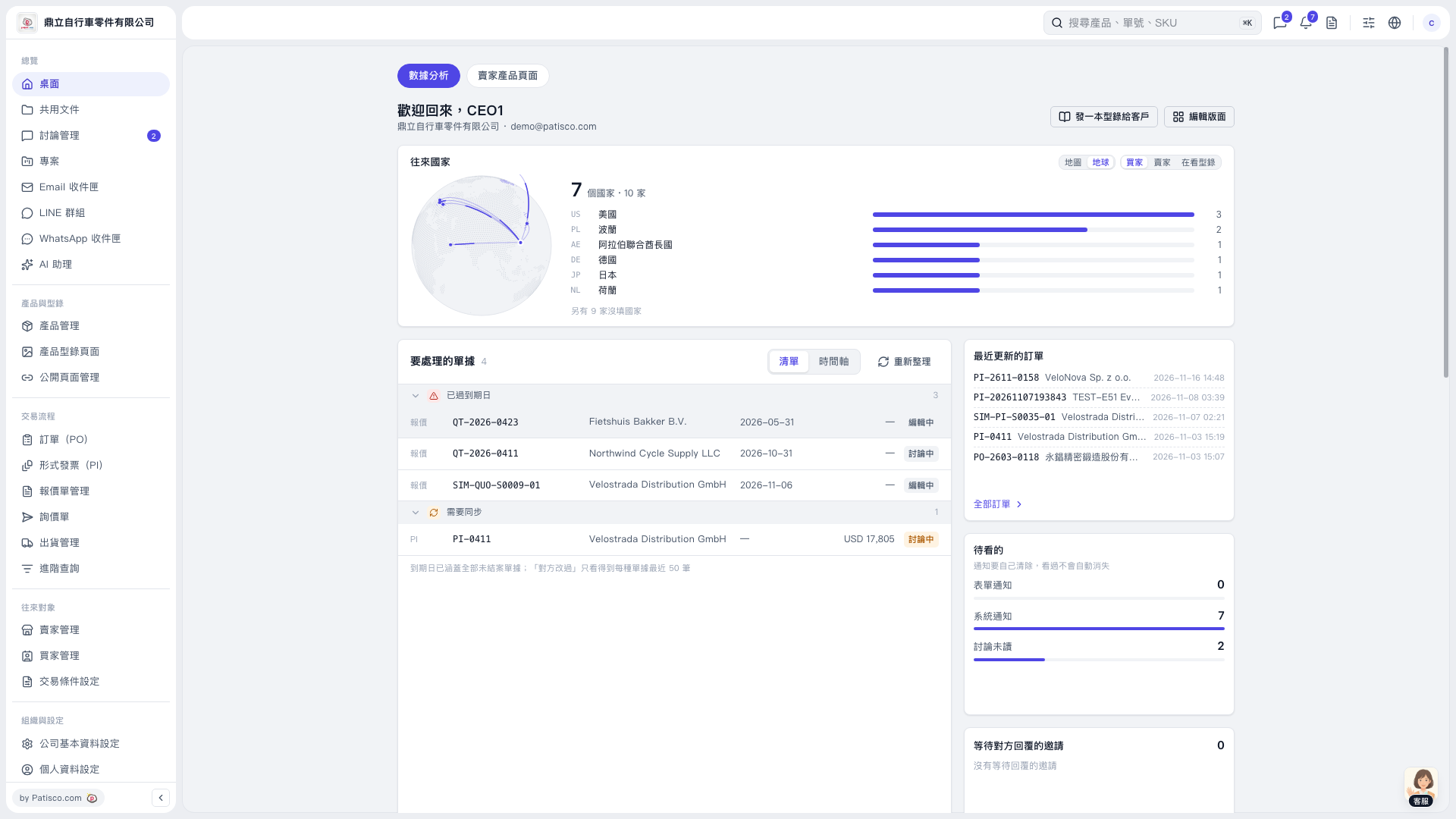 V5 新桌面版|桌面-數據分析