
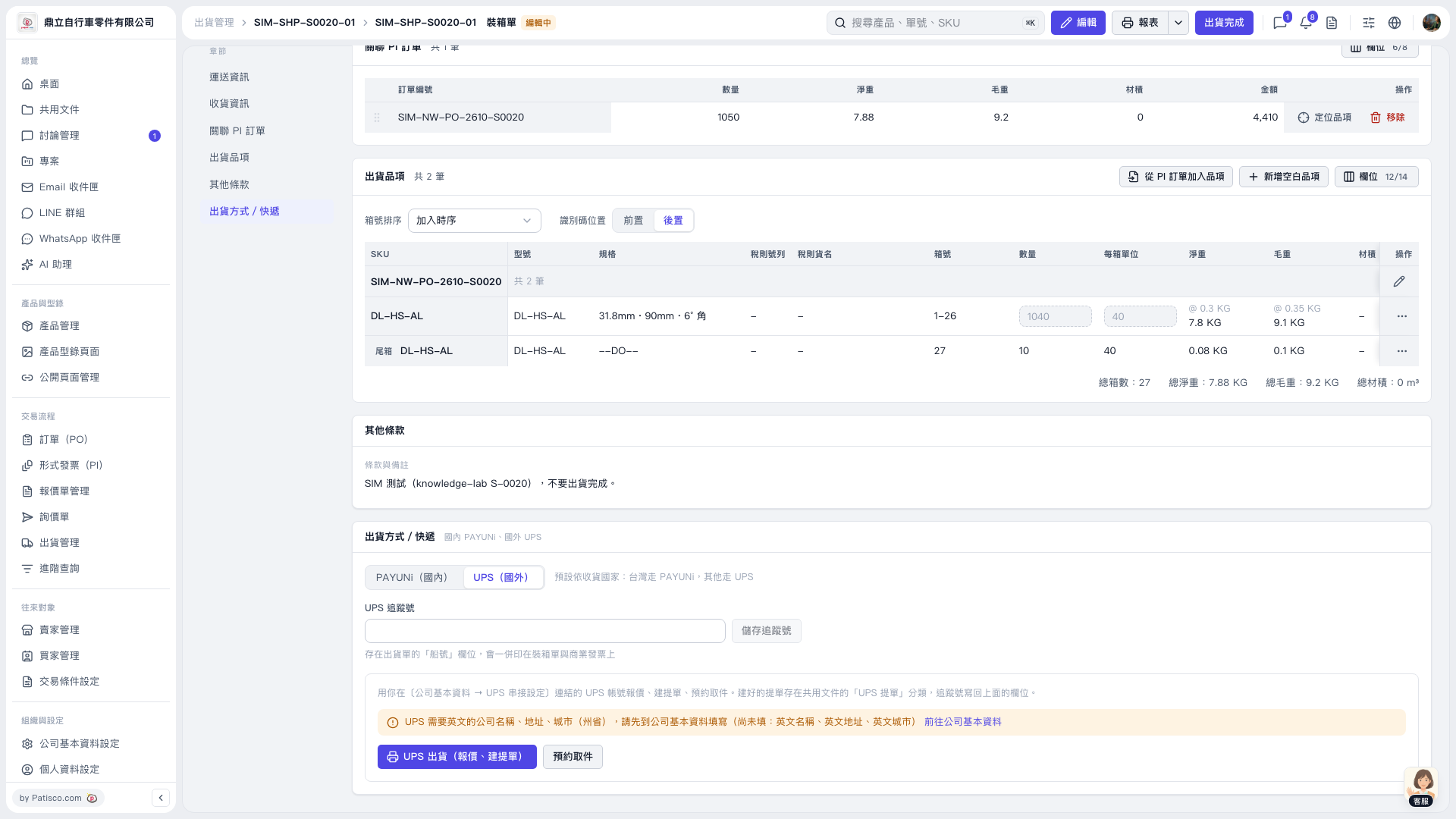
1. Check the items to be shipped, quantities, carton numbers, and weight information on the packing list. 2. Under "Shipping Method / Courier", select "UPS (International)". 3. If an orange message asks you to complete your company information, click "Go to Basic Company Information" and fill in the company name, address, and city in English. 4. Confirm that your UPS account is linked, return to the packing list, and click "UPS Shipping (Get Rates, Create Waybill)" to start the process.
 V5 新桌面版|SIM-SHP-S0020-01 裝箱單