
1. In the left sidebar, under "Partners", click "Seller Management". 2. Click the seller you want to view to open the seller detail page. 3. Scroll down to the "Contacts (Email / LINE)" section, where you can see each contact's name, email, phone number, and job title. 4. To add a contact, click "Add contact" at the top right of the section. To edit an existing contact, click "Edit" at the top right of that contact's card.
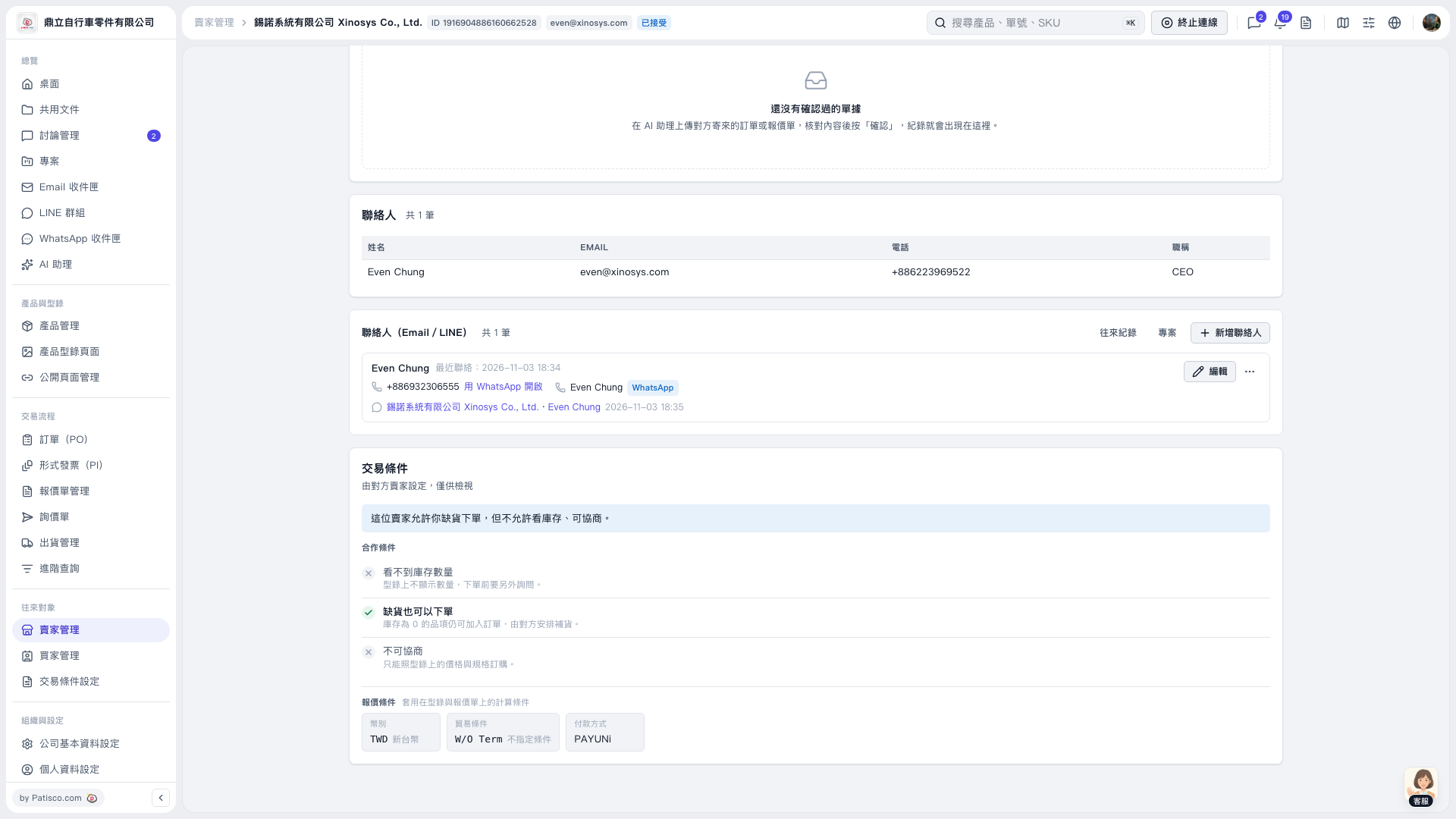 V5 新桌面版|錫諾系統有限公司 Xinosys Co., Ltd.(賣家詳情)