
1. In the left sidebar, under "Partners", click "Seller Management", then click the seller you want to view. 2. On the seller detail page, scroll down to "Trading Conditions". 3. Here you can see the cooperation conditions set by the seller (ordering out-of-stock items, stock visibility, whether negotiation is allowed), as well as the currency, trade terms, and payment method (for example, PAYUNi) of the quotation conditions. 4. These settings are configured by the seller. They are view-only on this page and cannot be changed.
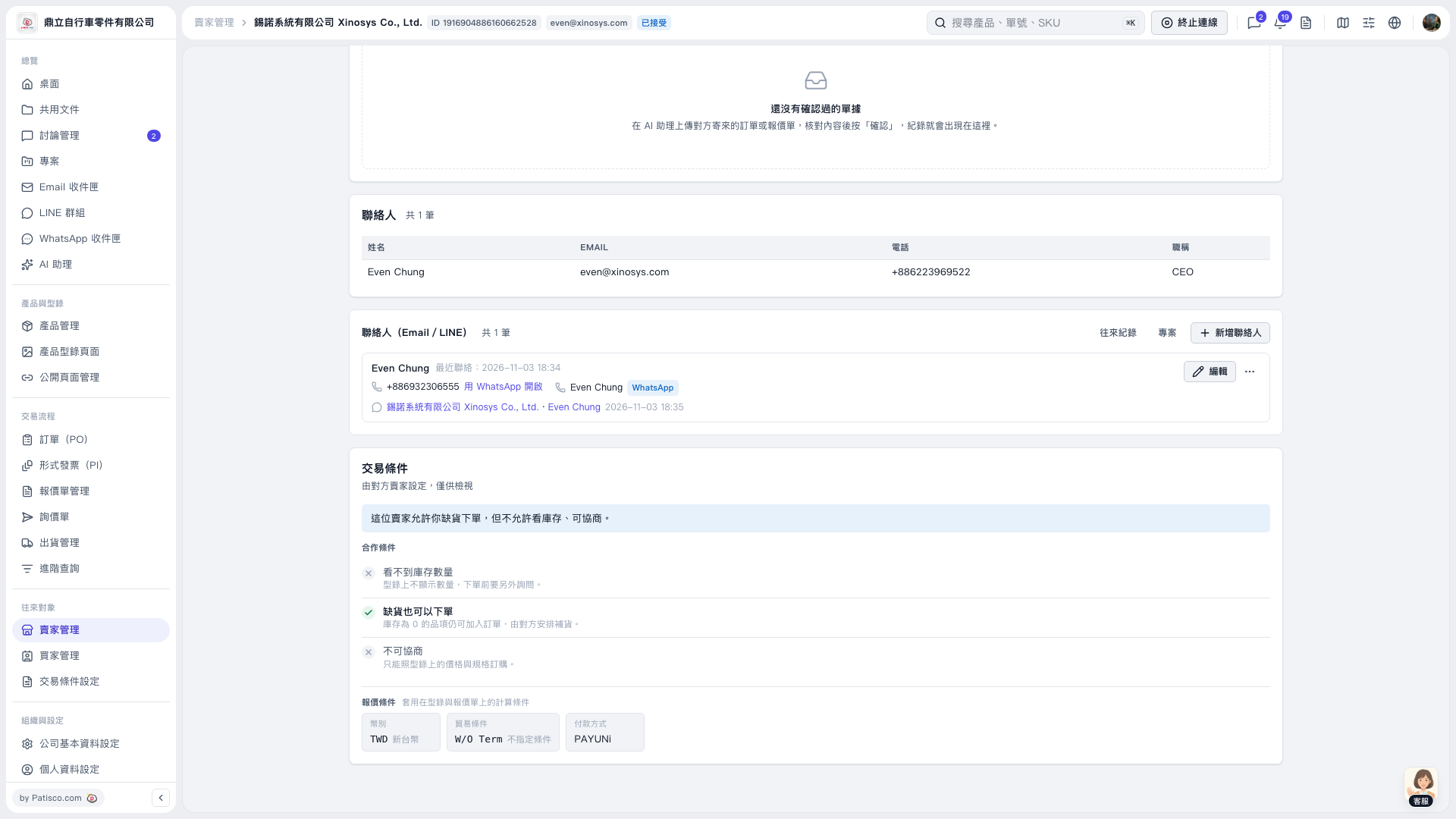 V5 新桌面版|錫諾系統有限公司 Xinosys Co., Ltd.(賣家詳情)