
1. In the left sidebar, click "Proforma Invoice (PI)" under "Trade Flow". 2. Make sure the tab at the top is on "Sent (PI)". 3. Click [Step-by-step payment link sending] at the top right (between [Import] and [Add Proforma Invoice (PI)]). 4. Follow the guided steps to generate and send the payment link to the buyer. The first step lists your Proforma Invoices: those that can collect payment online are listed first; those that cannot are grayed out, listed after, and labeled "Cannot collect payment online". Amounts are not shown in the list.
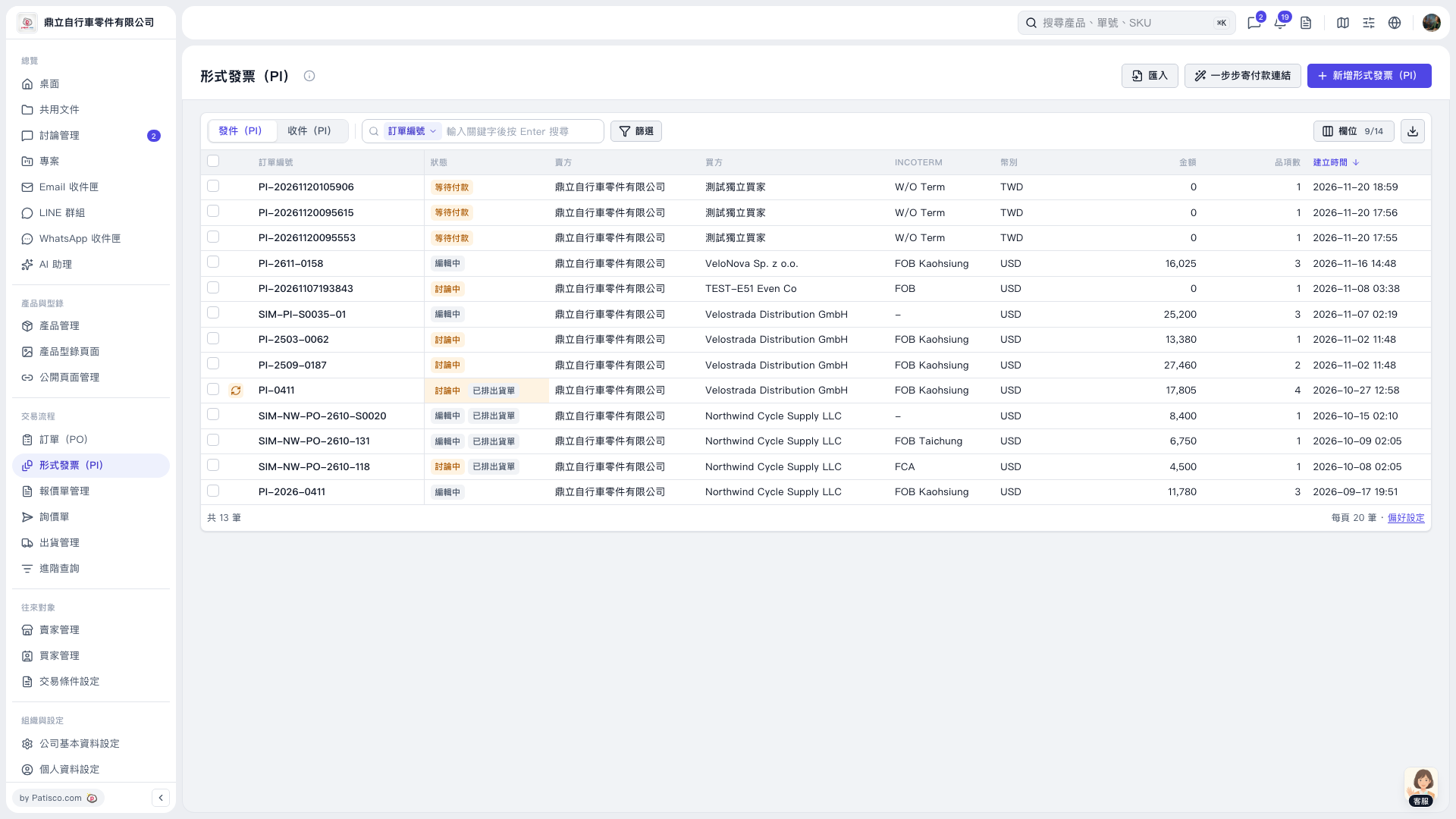 V5 新桌面版|形式發票(PI)