
1. In the left sidebar, under "Products & Catalogs", click "Public Page Management". 2. Click [Open a page step by step] at the top right, to the left of [New public page]. 3. Follow the guide to choose the catalog you want to make public and set whether prices are shown. 4. Choose a trading condition. Each row is labeled as negotiable or not. 5. Set [Inquiry allowed] and [Ordering allowed]. If the trading condition is not negotiable, [Inquiry allowed] is disabled. 6. Finish the guide to create the page. After it is created, click the link in the "Public link" column of the list to preview what visitors will see and check whether prices are shown and whether inquiries are possible. If you close the wizard without finishing and choose [Discard changes], no page is created. If you prefer to set everything up yourself, you can click [New public page] instead.
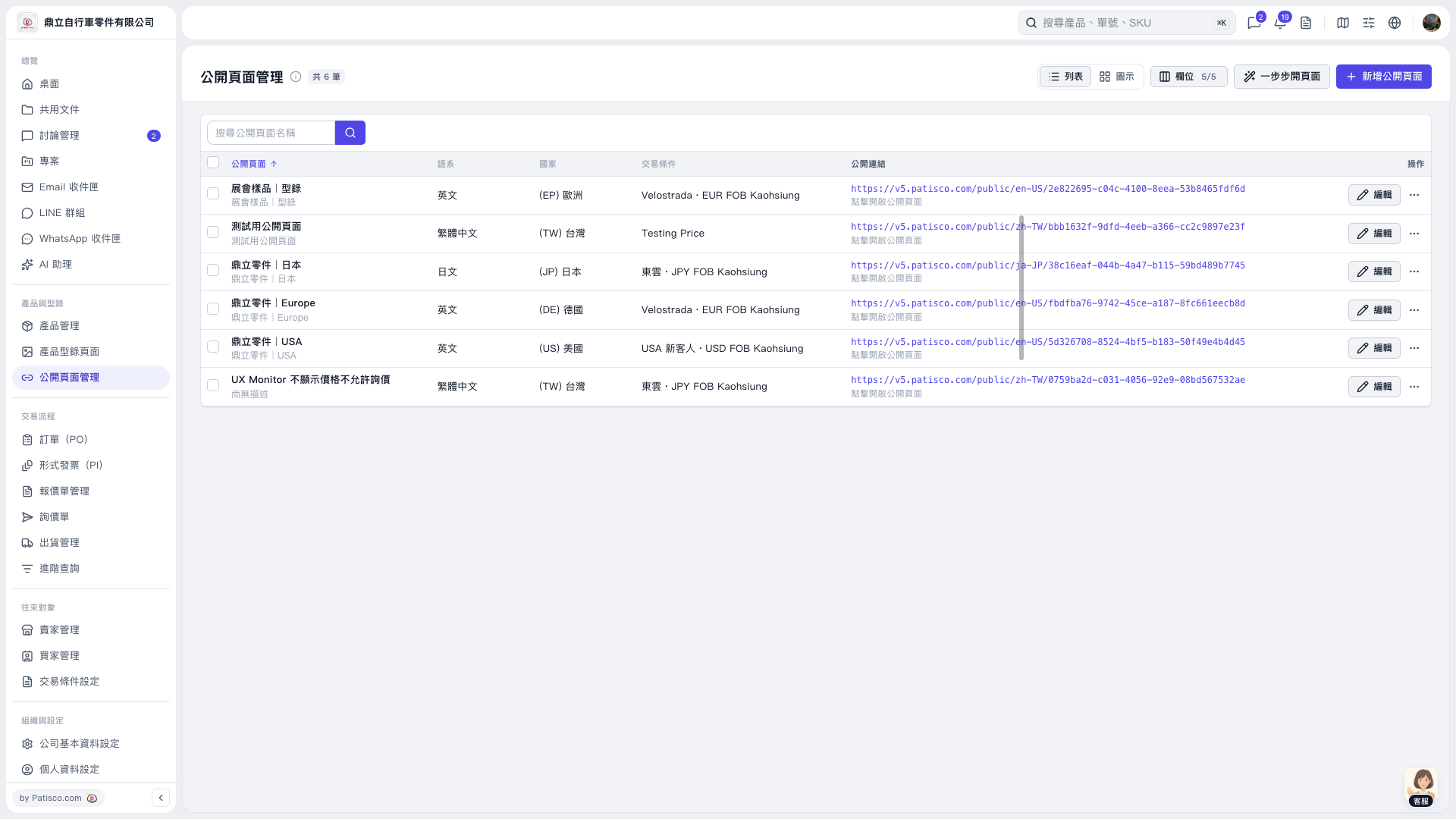 V5 新桌面版|公開頁面管理