
1. Open the Proforma Invoice and check the buyer, currency, total amount, and PO information. 2. To change the document contents, click [Edit] in the upper-right corner. To add products, use [Add items] or [New item] at the upper right of the item list. 3. Check each item's specifications, unit price, quantity, and subtotal. Use [Columns] if you need to adjust what is displayed. 4. After confirming the contents, click [Submit] in the upper-right corner.
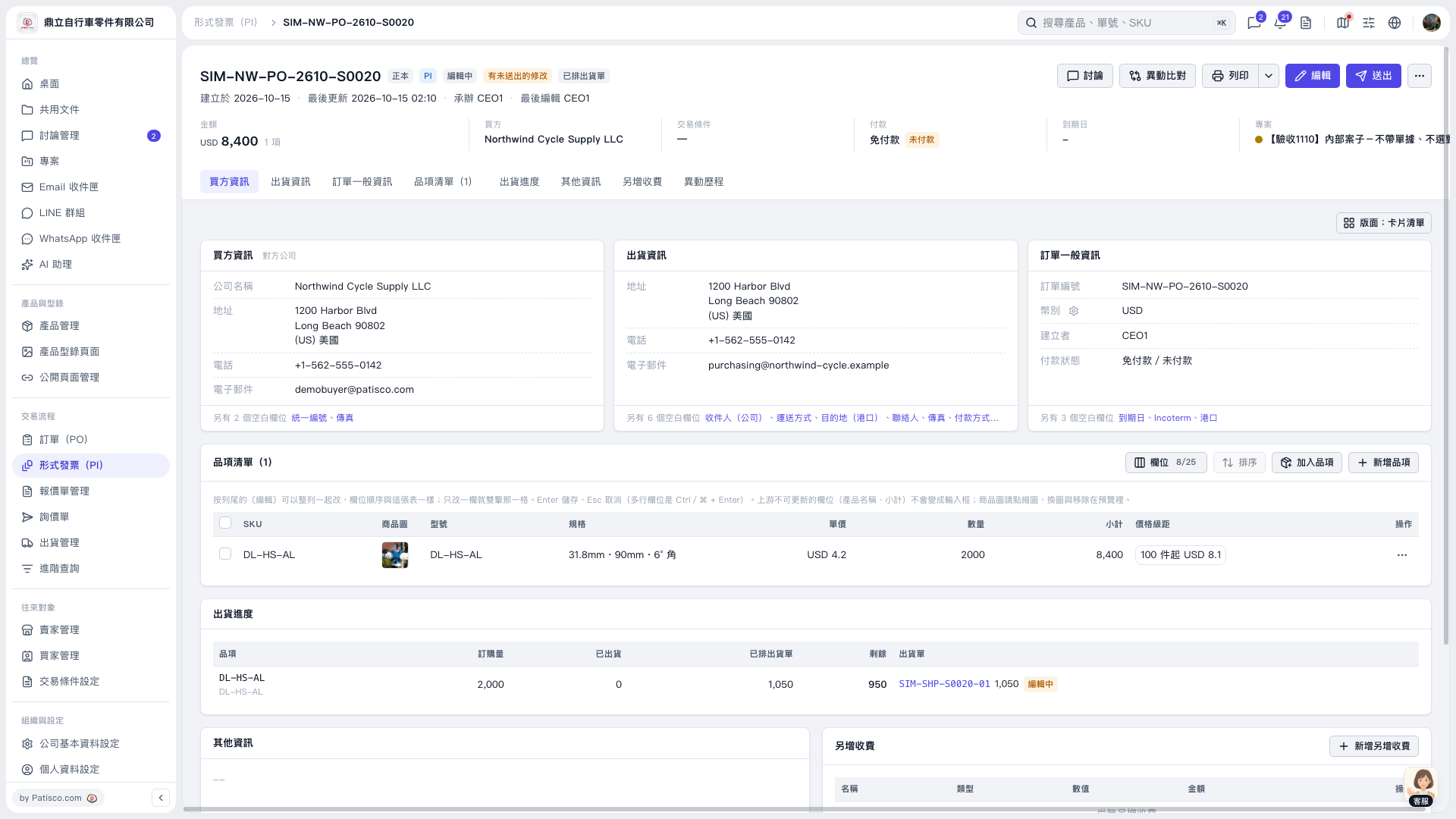 V5 新桌面版|形式發票 SIM–NW–PO–2610–S0020