
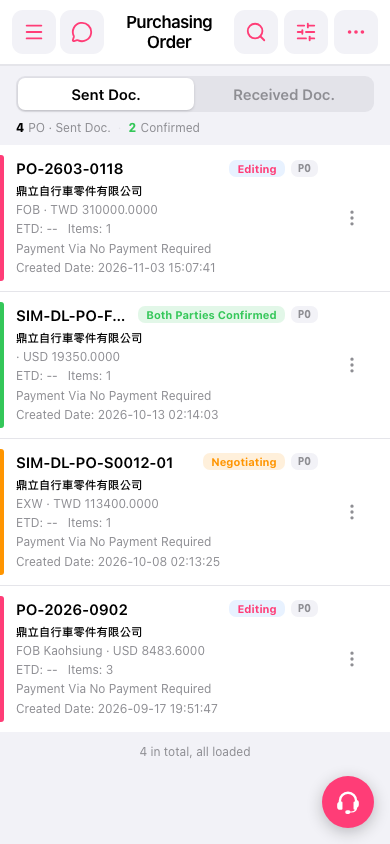
1. On the “PO” page, tap “Sent Doc.” to view sent documents, or tap “Received Doc.” to view received documents. 2. Check the PO number, company name, processing status, and amount in the list. To narrow the results, tap search (the magnifying glass icon) or filter (the sliders icon) in the upper right. 3. Tap the PO card you want to view to open its contents. 4. To see other actions for the PO, tap the vertical three-dot icon on the right side of the card.
 手機版|採購單(Purchasing Order)