
1. Go to [Personal Profile Settings] and open “Passkey (Touch ID / Face ID)”. 2. Tap [Add Passkey] and follow your device’s prompts to complete fingerprint or facial recognition verification. 3. When the success message appears, check that the newly registered device is listed in the Passkey list. If you have not used it to log in yet, its login usage status will show “Not yet used to log in”. 4. Tap [Done] in the top-right corner to finish setup. The next time you log in, follow the prompts to use Touch ID or Face ID.
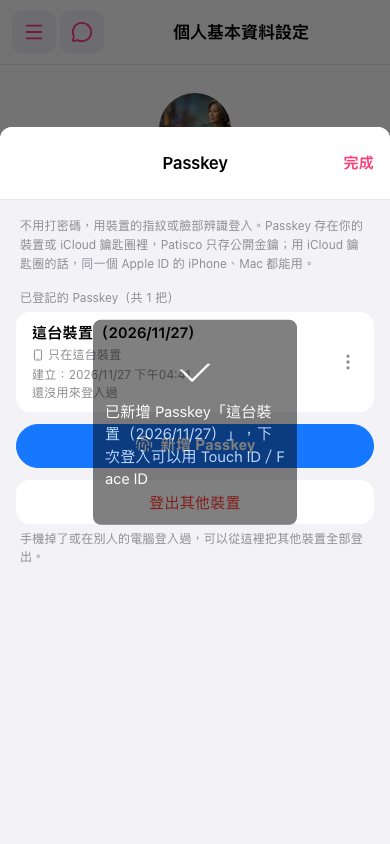 手機版|個人基本資料設定-Passkey