
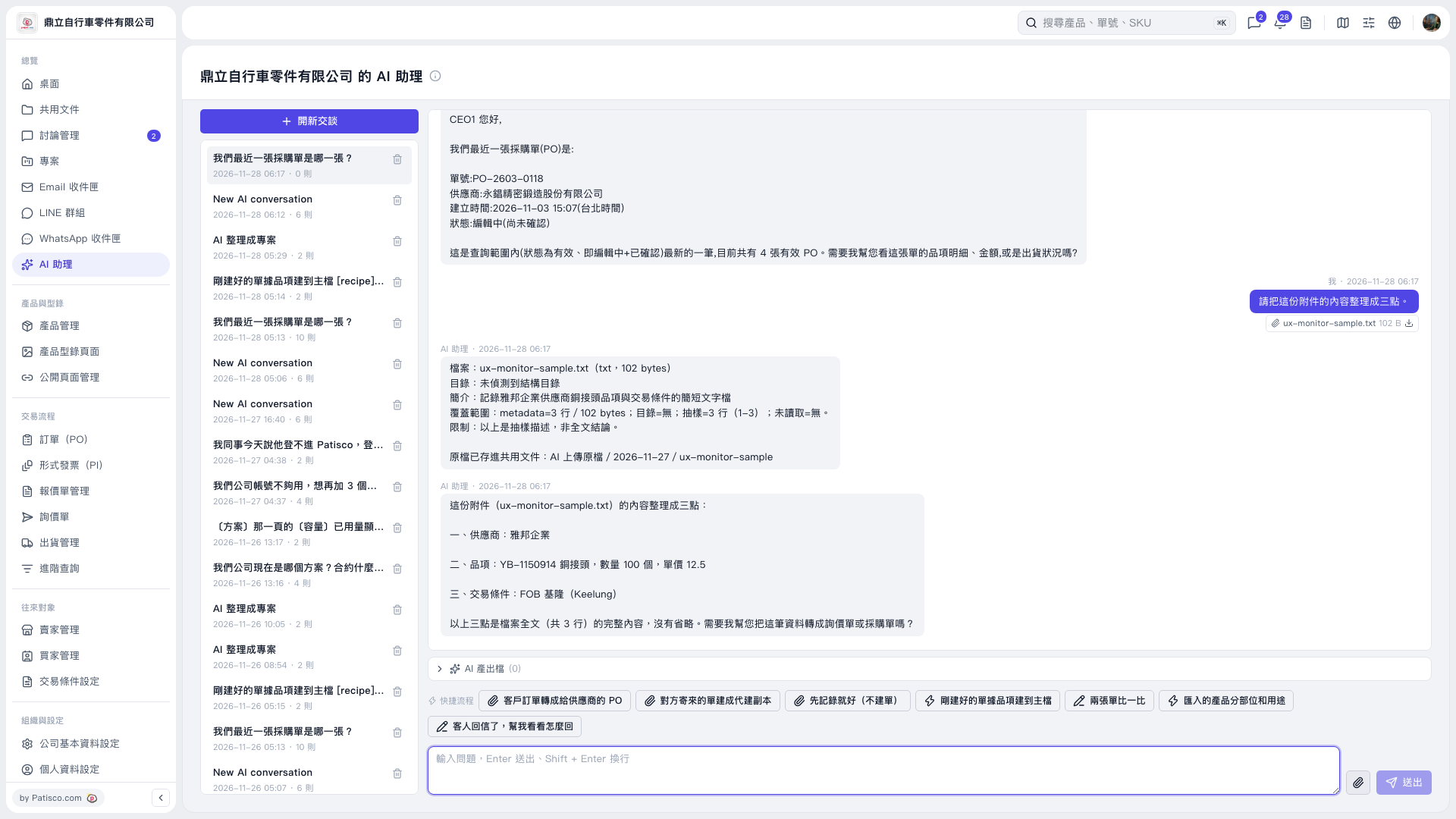
1. Open the AI assistant page in V5 and click “New Conversation”, or select an existing conversation from the list on the left. 2. Click the paperclip icon (attachment) to the right of the input box at the bottom, then select the file you want the AI to analyze. 3. Enter your request in the input box. Press Enter to send, or Shift + Enter to insert a line break. 4. Click “Send” at the bottom right, or press Enter. 5. Read the AI's reply in the conversation area. To ask a follow-up question, continue typing in the input box. Example request: “Please summarize the contents of this attachment in three points.” The AI will respond by first listing the file name, type, and size, explaining which portions it sampled, then summarizing the contents in three points. Finally, it will ask whether you want to turn this data into an inquiry or a PO.
 V5 新桌面版|鼎立自行車零件有限公司 的 AI 助理