
1. Check that the record count and field mappings in the preview file are correct. 2. Within the time limit shown by the AI assistant, click [Add] in the orange confirmation area at the bottom of the conversation; or enter “新增” in the message input box and click [Send] at the bottom right. 3. The AI assistant will write the data only after you confirm. Nothing will be added without confirmation. If the time limit shown by the AI assistant has passed, it will prepare the same preview again when you reply. Simply confirm it again.
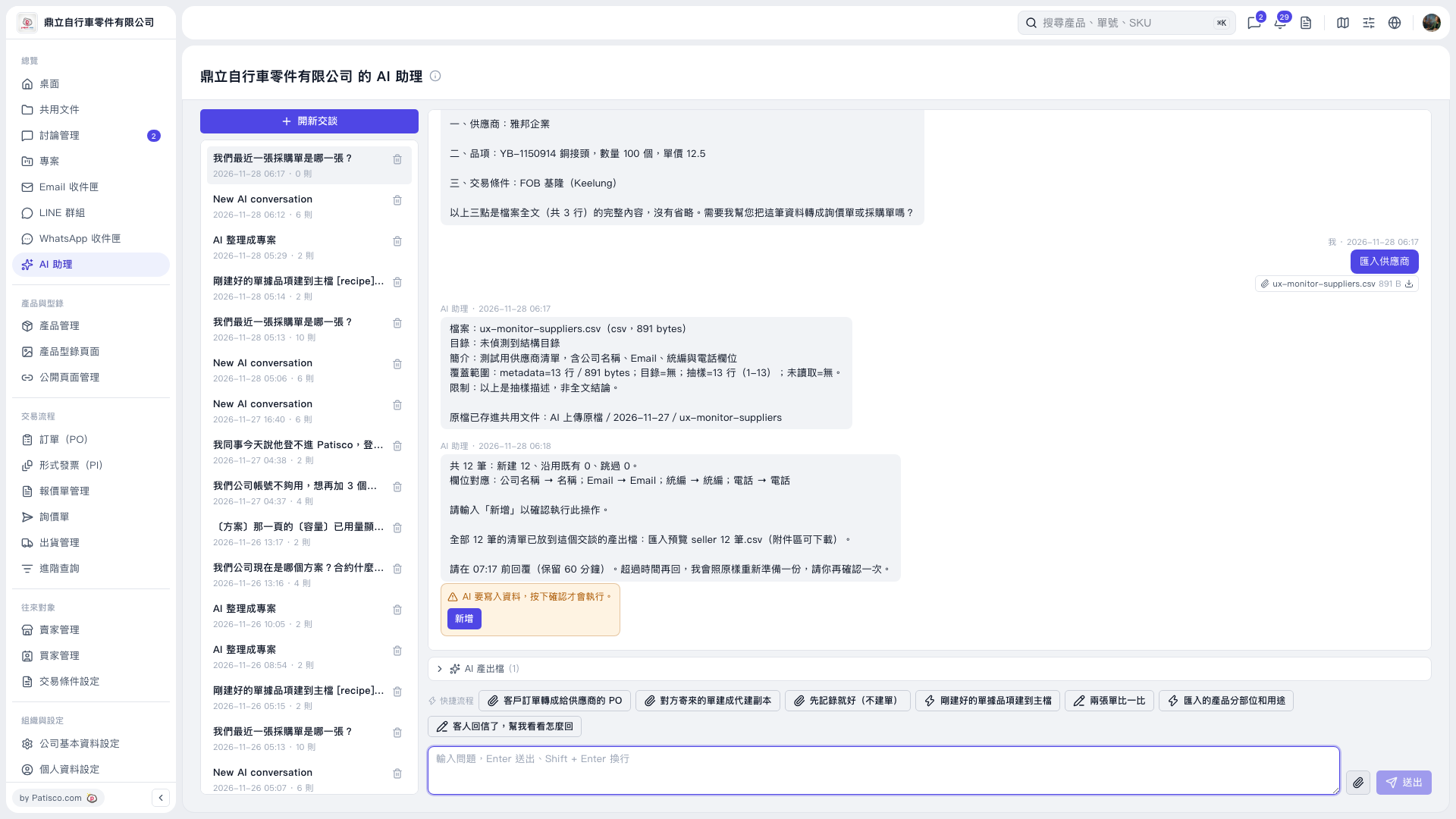 V5 新桌面版|鼎立自行車零件有限公司 的 AI 助理