
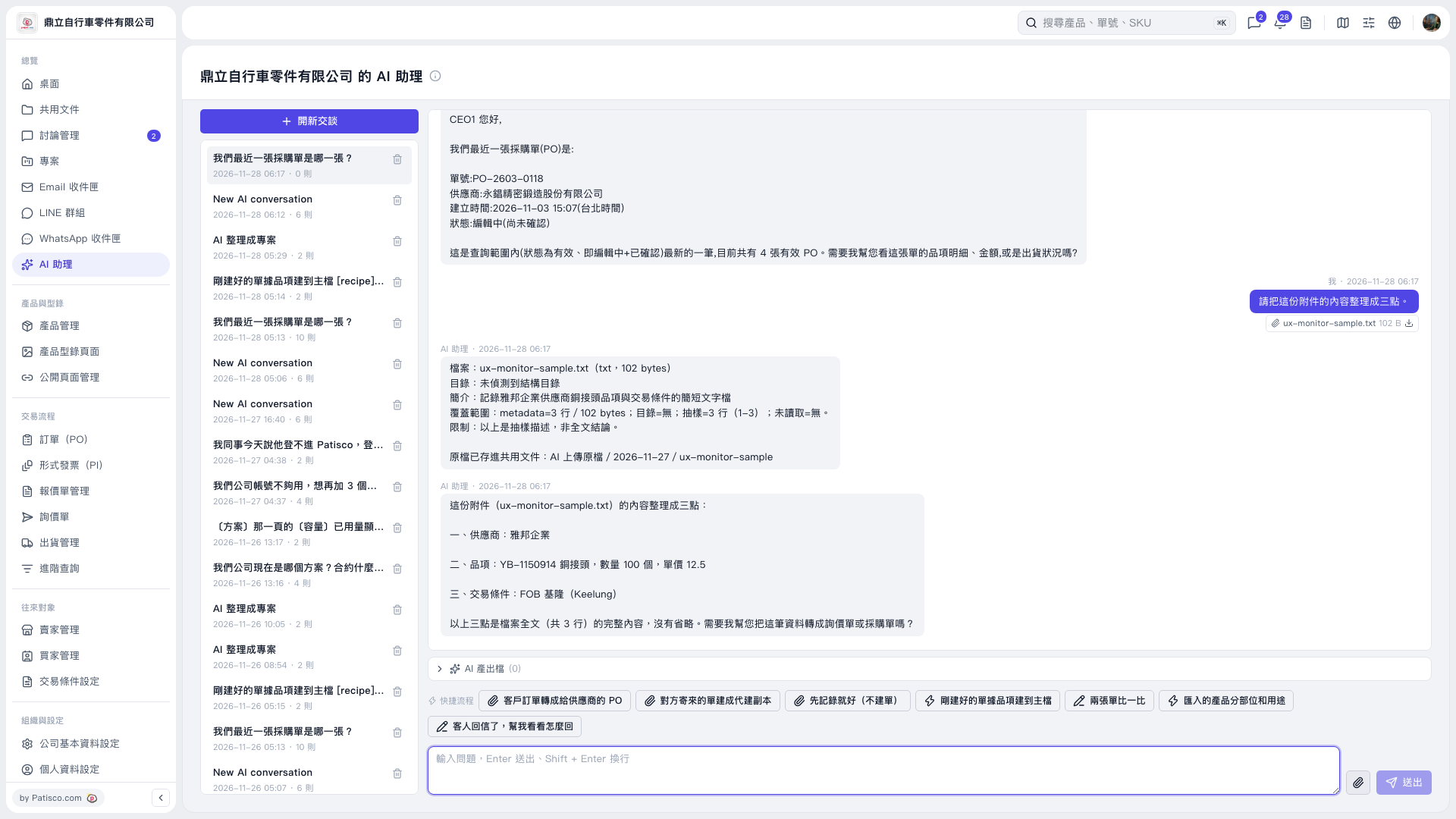
1. After you send a message, its attachments appear below your message in the conversation area, showing each file's name and size. 2. Click the download icon to the right of an attachment to download the file. 3. If the AI's reply says “The original file has been saved to Shared Documents”, your uploaded original has been saved there. The reply will include the folder path where it is stored. 4. If the AI generates files for you, they appear under “AI-generated Files” at the bottom of the conversation area. Click to open and view them. A count of (0) means the AI has not generated any files yet.
 V5 新桌面版|鼎立自行車零件有限公司 的 AI 助理