
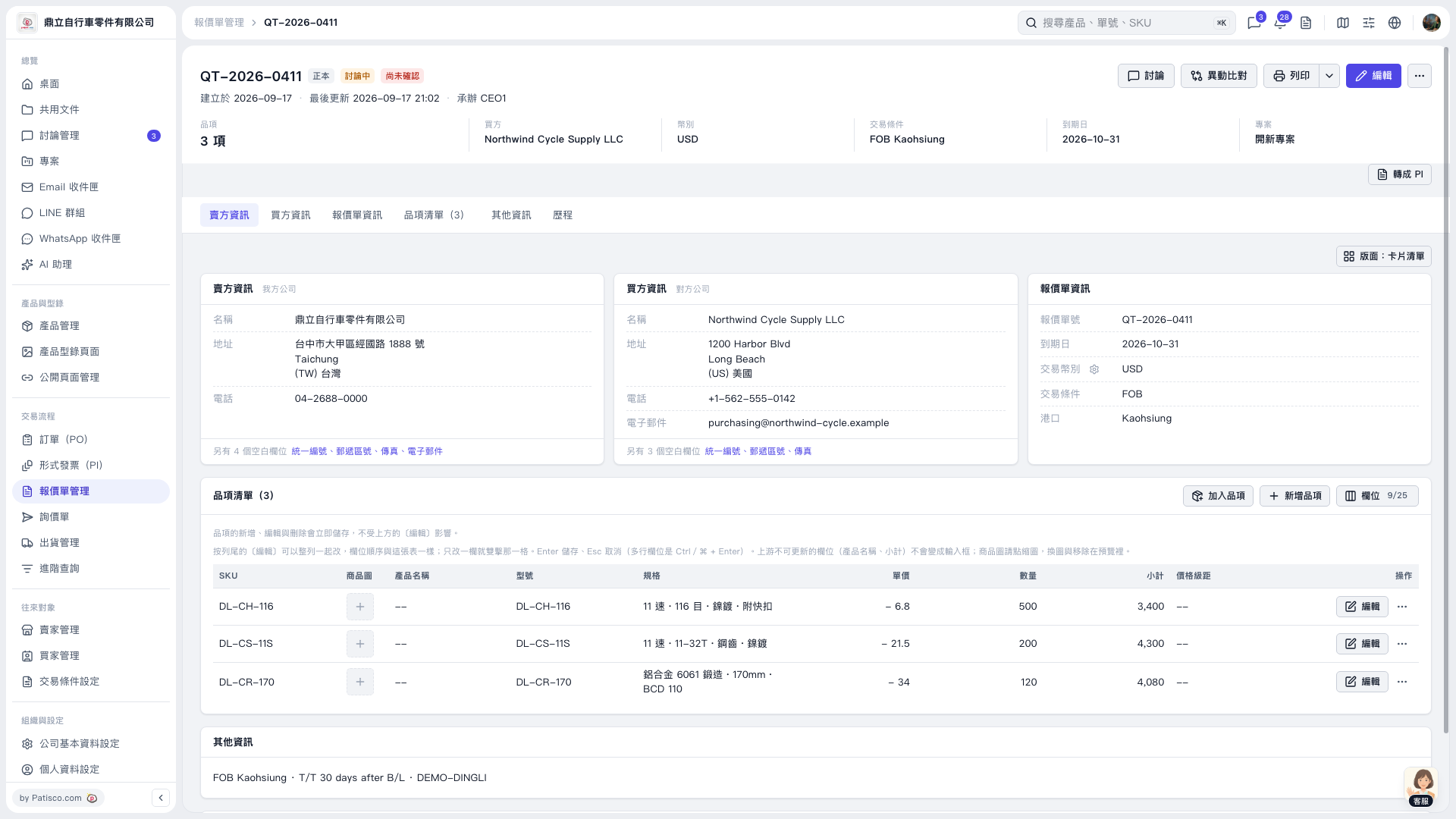
1. On the quotation details page, check that the buyer, seller, currency, trading conditions, and expiration date are correct. To change these details, click [Edit] at the top right. 2. Go to “Item List” to check each item’s subtotal, and review “Other Information.” 3. If you need a paper copy, click [Print] at the top right. The dropdown beside it lets you select a printing method. 4. To create a Proforma Invoice, click [Convert to PI] on the right below the summary. This converts the quotation to a PI.
 V5 新桌面版|QT–2026–0411