
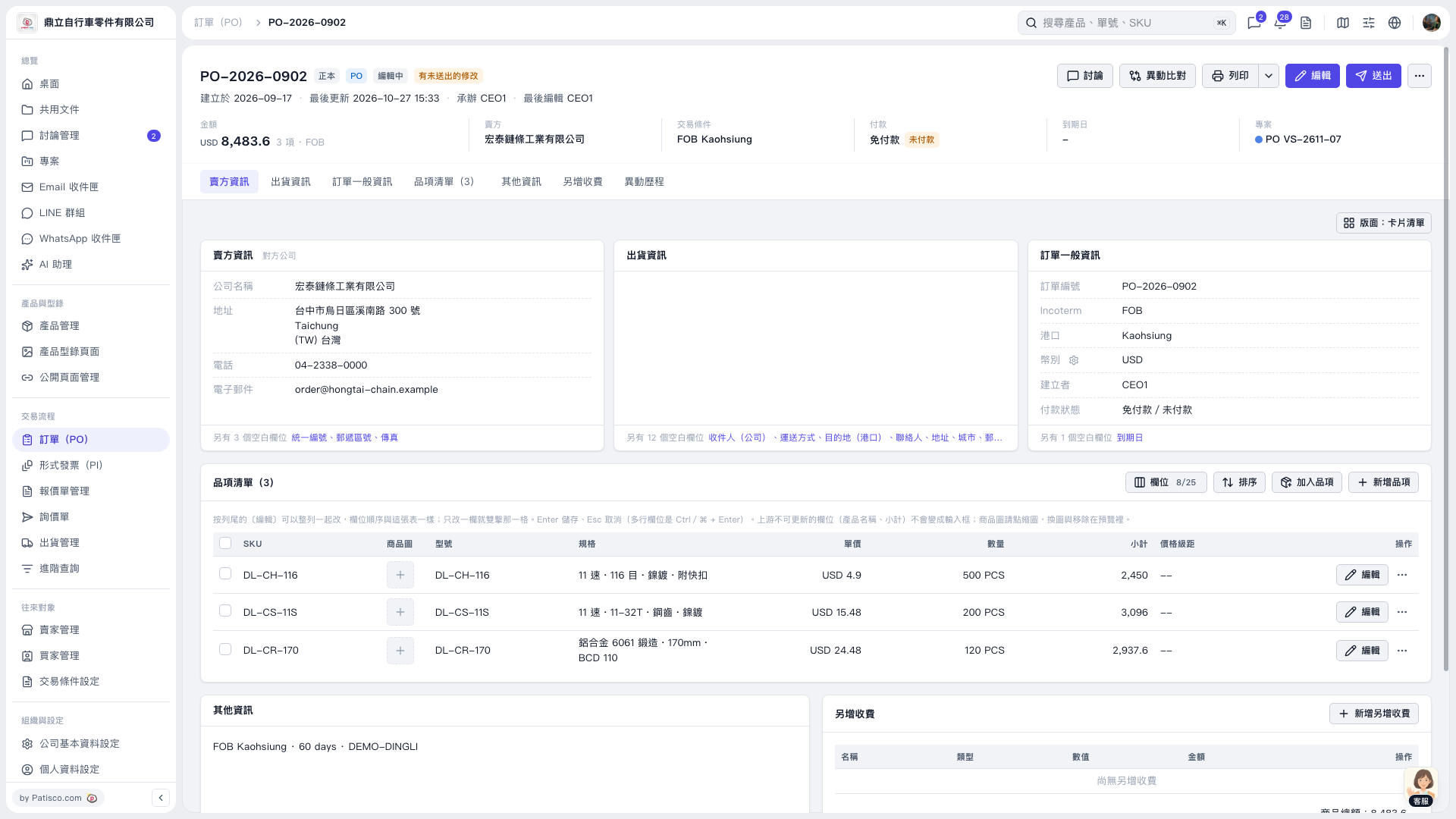
1. On the PO details page, tabs below the PO summary include [Seller Information], [Shipping Information], [General PO Information], [Item List], [Other Information], [Additional Charges], and [Change History]. Click a tab to switch to or jump to the corresponding section. 2. [Item List] shows columns such as SKU, product image, model, specifications, unit price, quantity, and subtotal. Click [Columns] at the top right to choose which columns appear in the table, or [Sort] to change the item order. 3. Use “Layout” at the top right of the content area to change how the PO information is displayed, such as a card list. 4. To review changes to the PO, click [Diff View] at the top right. To discuss the PO with the other party, click [Discussion]. 5. If you need a paper copy, click [Print] at the top right. The dropdown beside it lets you select a printing method.
 V5 新桌面版|PO–2026–0902