
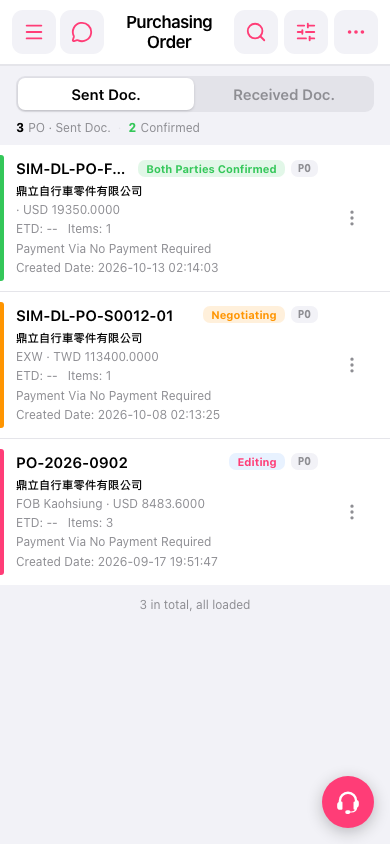
1. Open Patisco on your phone and go to the Purchasing Order (PO) page. 2. Look at the tabs at the top of the page. There are two tabs: "Sent Doc." and "Received Doc.". 3. To see the POs you sent, tap "Sent Doc.". To see the POs the other party sent to you, tap "Received Doc.". 4. After you switch, the list changes accordingly. Each entry shows the PO number, supplier name, trading terms and currency amount (for example, EXW・TWD 113400.0000), ETD, Items, Payment Via, and Created Date.
 手機版|Purchasing Order(採購單)