
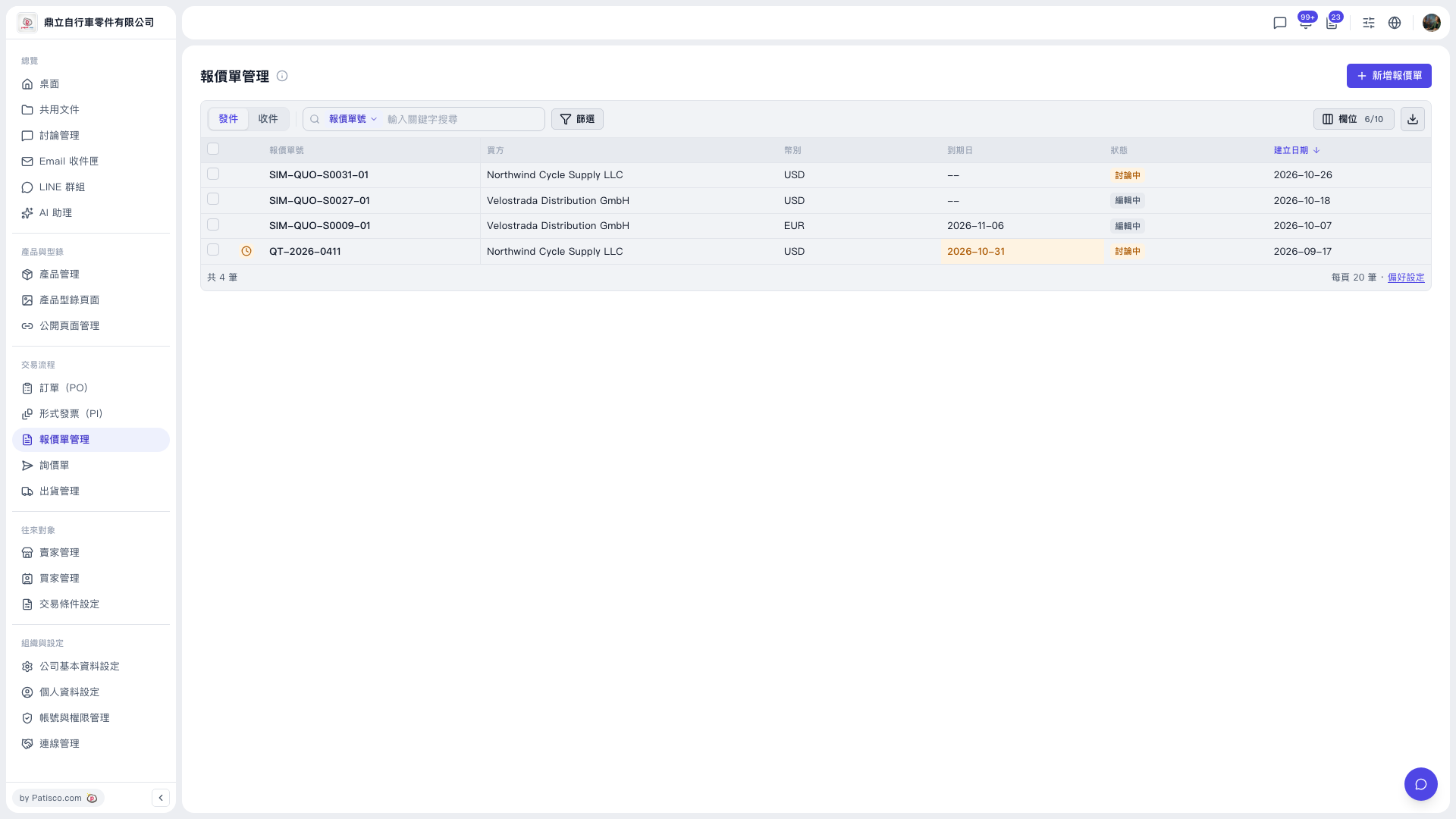
1. In the left sidebar, find "Trading Flow" and click "Quotation" to open the quotation list (URL: https://v5.patisco.com/quo). 2. The upper left of the list has "Sent / Received" tabs: "Sent" shows quotations you issued, and "Received" shows quotations you received. Switch as needed. 3. The list shows columns such as checkbox, quotation number, buyer, currency, due date, status, and created date. Click a row (the row with the quotation number) to view or edit that quotation. 4. Pay special attention to quotations whose due date is shown in orange.
 V5 新桌面版|報價單管理