
1. Go to the "Quotation" page. 2. Click the "New Quotation" button at the upper right (to the right of the page title bar). 3. Fill in the buyer, currency, due date, product items, and other information, then save. 4. Return to the list and check the status of the new quotation (for example, Editing or In discussion), and pay attention to quotations whose due date is shown in orange.
To find a specific quotation, use the search box on the left of the toolbar (choose a search field such as quotation number, then enter a keyword), or click "Filter" to the right of the search box to set conditions. In addition, "Columns 6/10" lets you customize the displayed columns, the download icon exports the list data, and "Preferences" at the lower right of the list lets you adjust the number of rows per page.
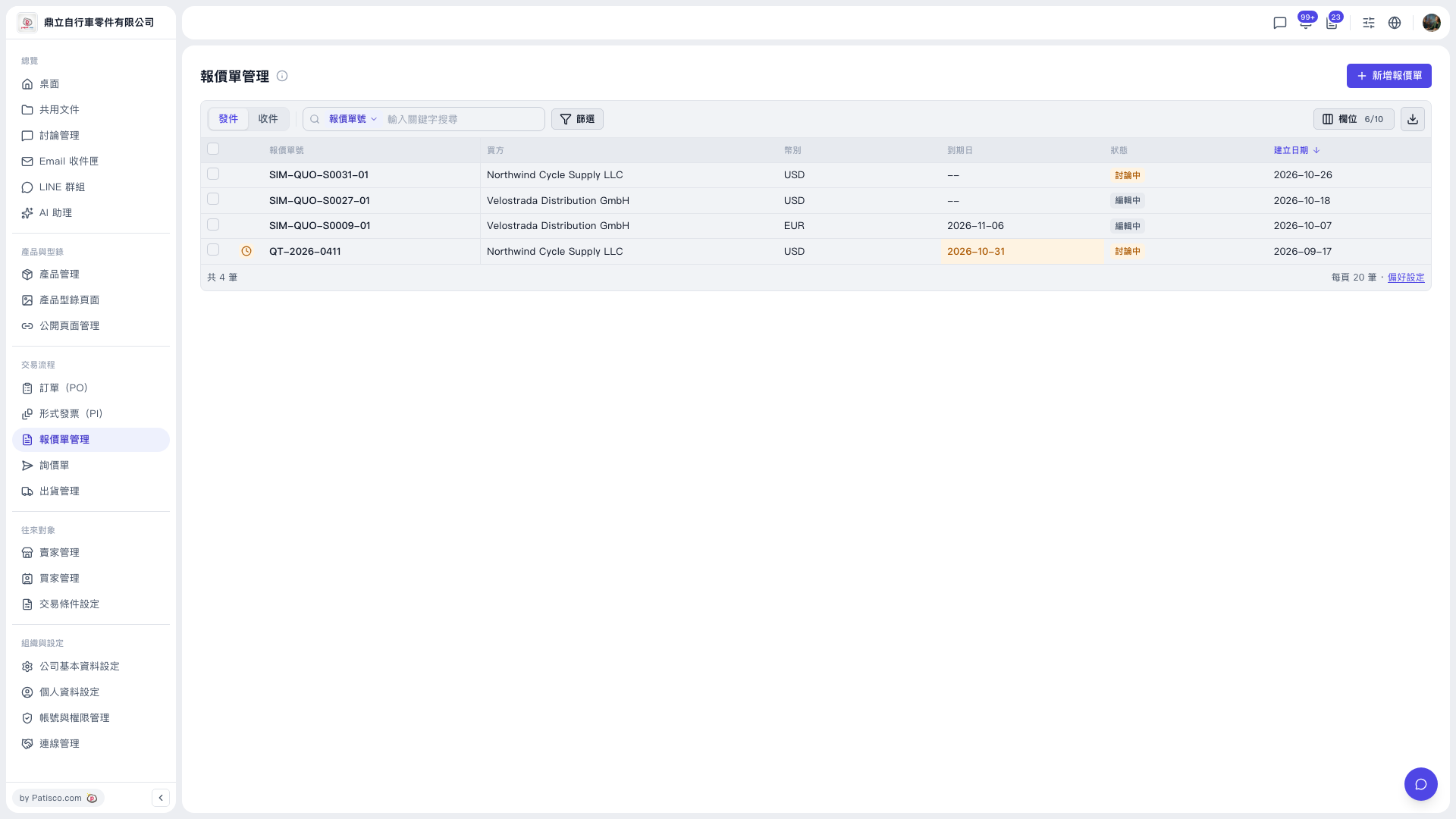 V5 新桌面版|報價單管理