
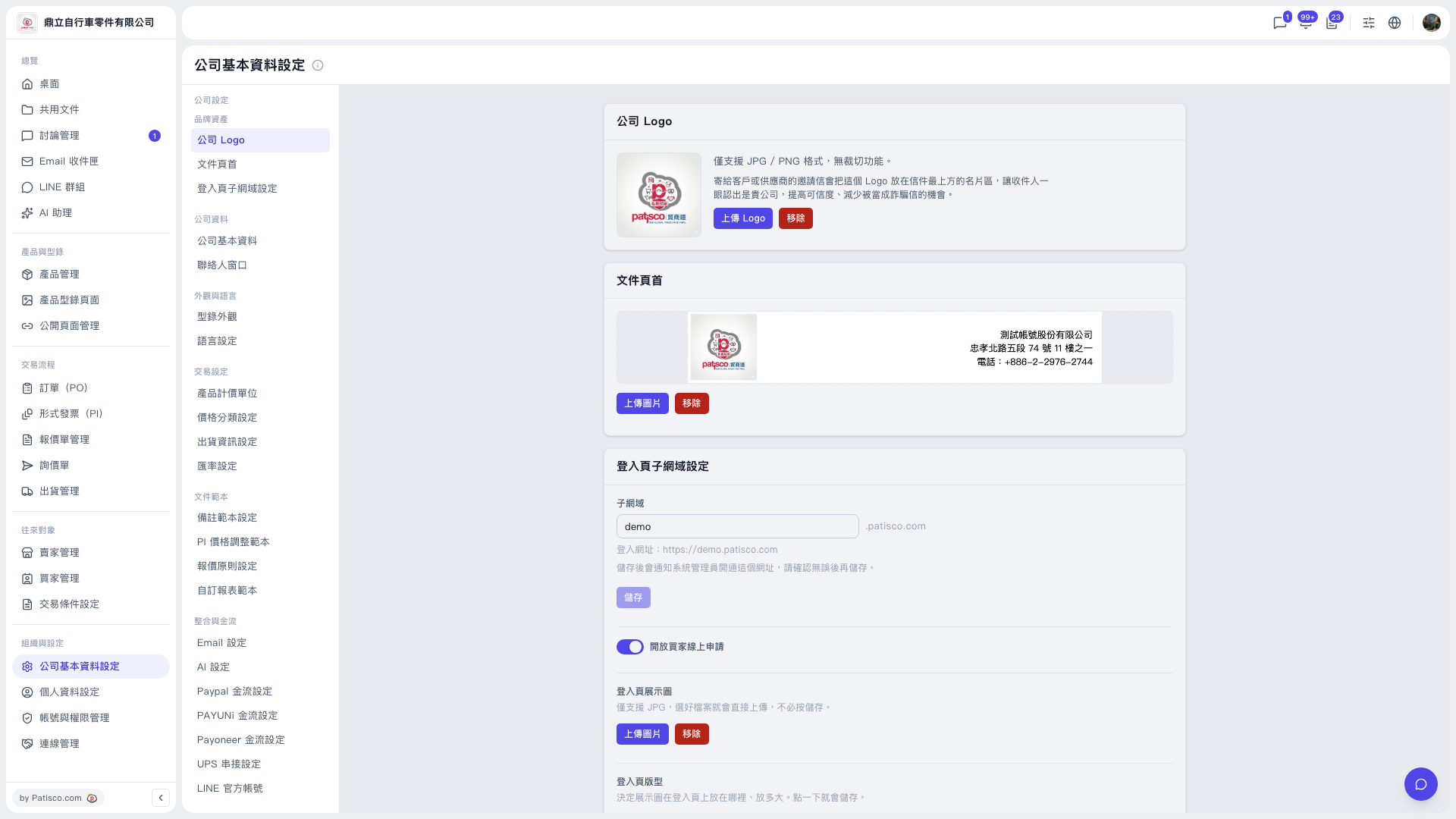
1. In the main left sidebar, click "Organization & Settings", then select "Company Profile Settings". 2. In the in-page submenu (the second column to the right of the main sidebar), select "Company Logo". 3. In the "Company Logo" section, click "Upload Logo" and choose a JPG or PNG image file. This logo appears at the top of invitation emails sent to customers or suppliers. To replace it, click "Remove" first and then upload again. 4. In the "Document Header" section, click "Upload Image" and upload the header image used on documents such as quotations and POs. To remove it, click "Remove" next to it.
 V5 新桌面版|公司基本資料設定