
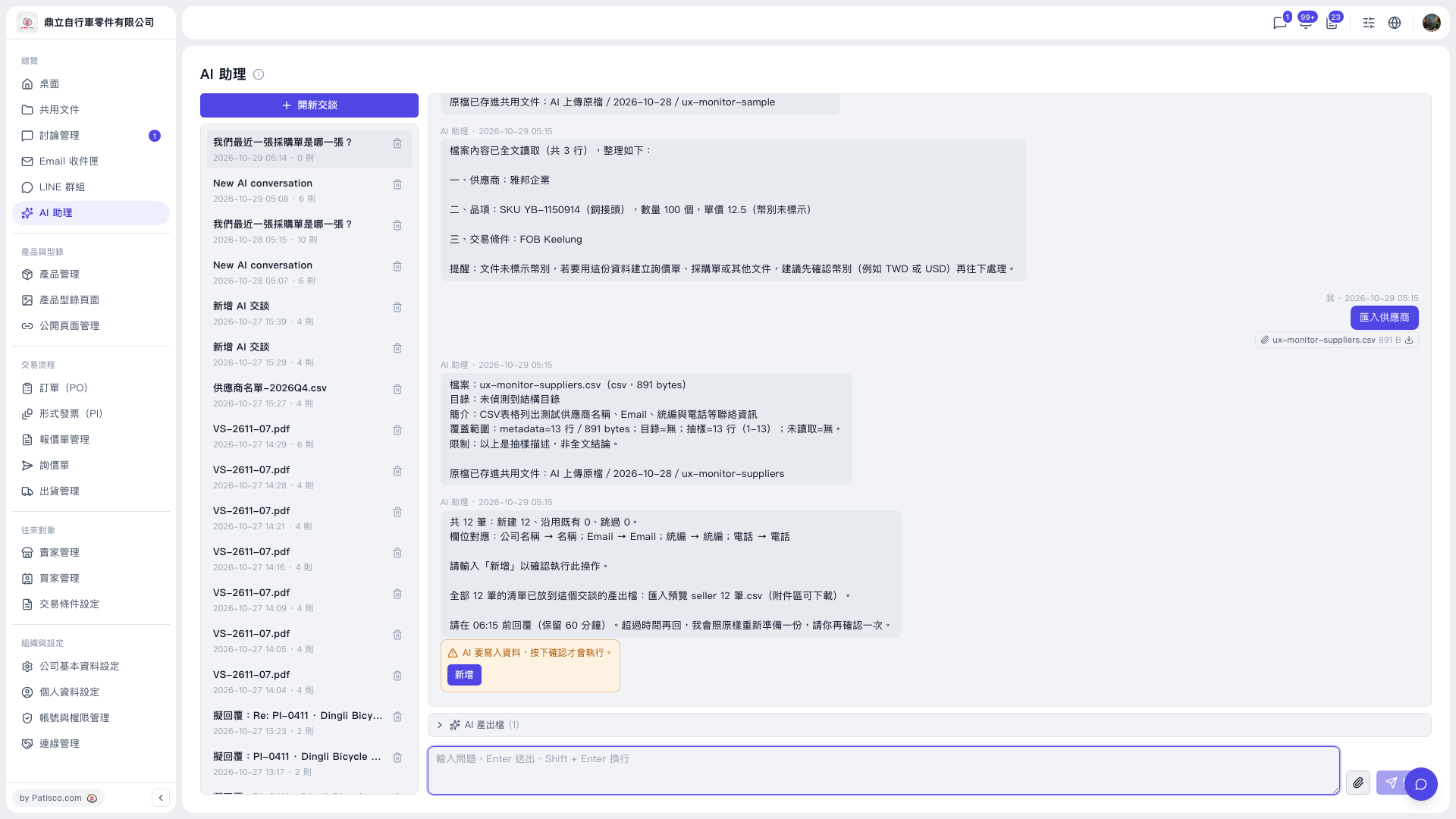
1. Expand "AI output files (1)" below the conversation area. 2. Download "Import preview seller 12 records.csv" and check that the list of 12 records is correct. 3. Once everything looks correct, click "Add" in the yellow confirmation box, or type "Add" as the AI requests. 4. Make sure to finish within the time limit the AI states (this time it is held for 60 minutes, so reply before 06:15). 5. If the time has passed, reply again and the AI will prepare it again as it was, and you simply confirm once more.
The AI will say: "Please reply before 06:15 (held for 60 minutes). If the time has passed, reply again and I will prepare it again as it was; please confirm once more."
Note: The AI will only write data after you click to confirm.
 V5 新桌面版|AI 助理