
1. Click "Profile Settings" under "Organization & Settings" in the left sidebar. 2. Notifications: In the notifications section at the top of the page, use the toggles to choose whether to receive "Form notifications" and "New orders from public pages", then select the reminder interval for unhandled items from the dropdown (currently showing 30 minutes). 3. Interface and format: In the "Interface & Format" section, choose the interface language, time zone, and number separator, and check the preview to confirm the format. 4. Login email: In the "Account Security" section, click "Change" on the right side of the login email row, enter your current password, then click the confirmation email sent to the new mailbox. 5. Password: In the "Account Security" section, click "Change password" on the right side of the password row. After the change, other devices will need to log in again. Known issue: No problems were found in this round of testing.
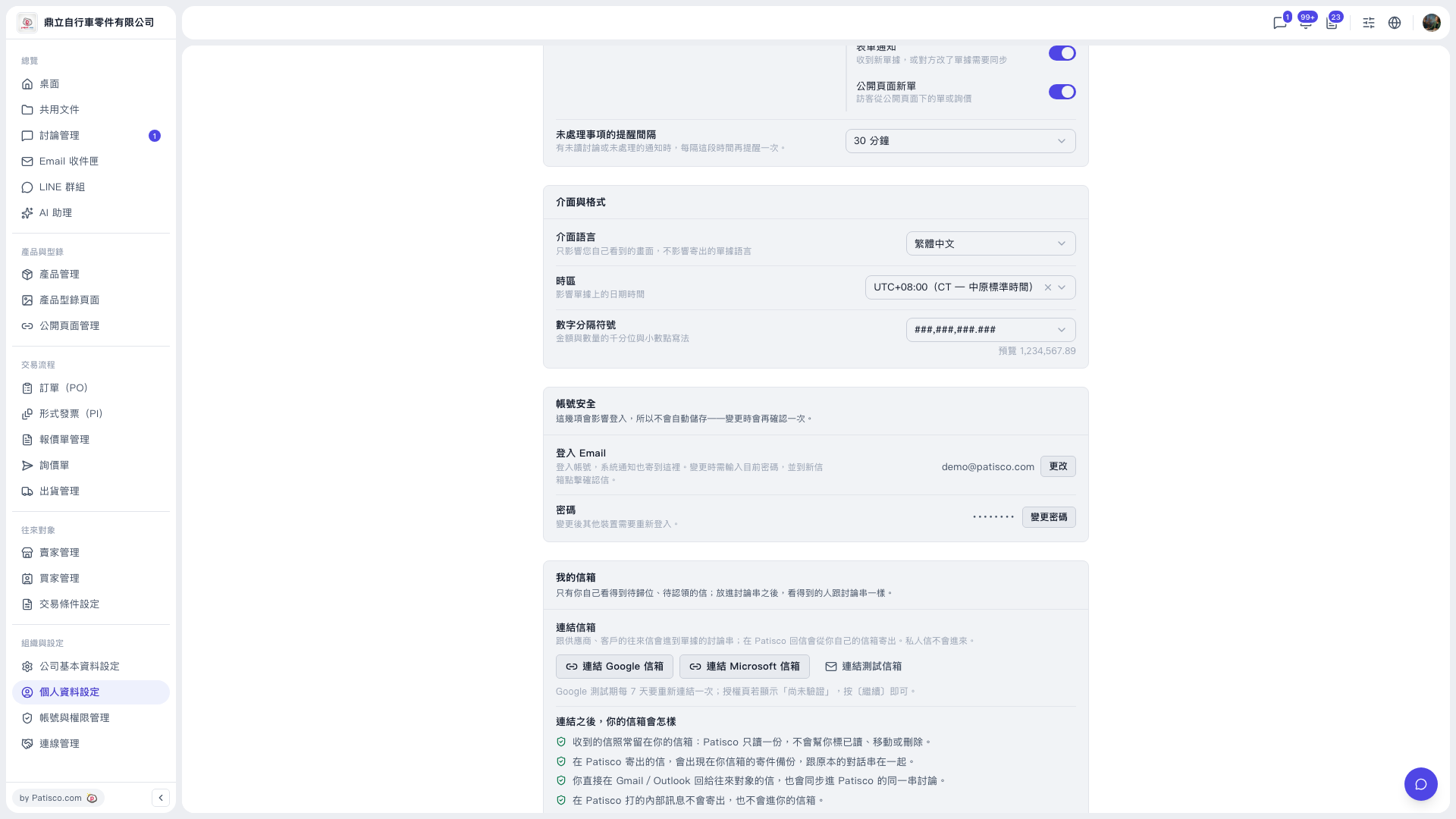 V5 新桌面版|個人資料設定