
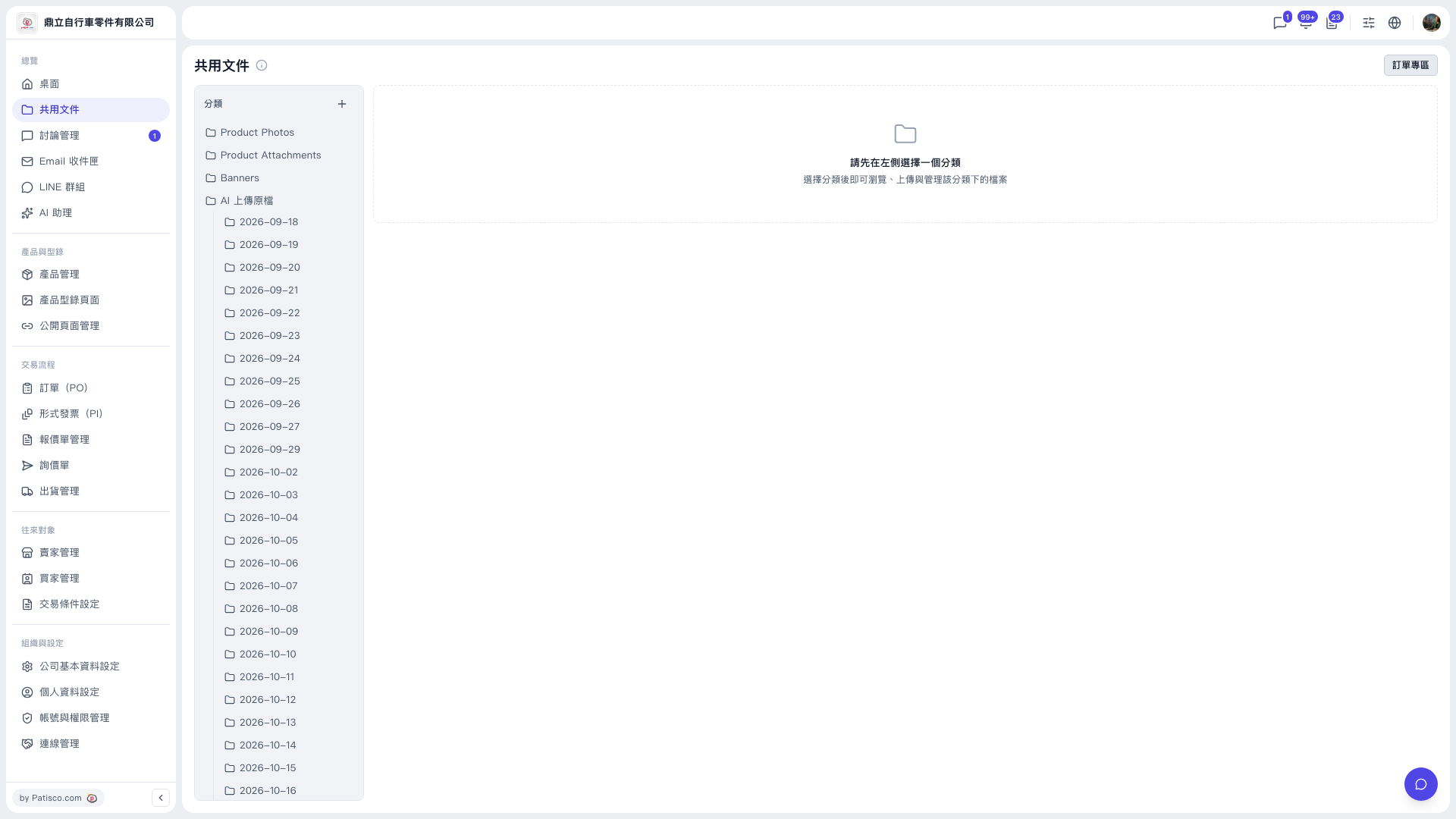
1. In the left sidebar, under "Overview", click "Shared Documents". 2. In the "Categories" panel on the left, choose the category you want to view, such as Product Photos, Product Attachments, Banners, or "AI Uploaded Originals". 3. For "AI Uploaded Originals", date subcategories appear below (for example 2026-09-18). Click one to open the AI-uploaded originals from that date. 4. The content area on the right shows the files in that category. You can browse, upload, and manage files there. 5. To work with PO-related documents, click "PO Zone" at the top right to switch.
You can ask the AI assistant: "Is there a Product Photos category?" The AI will reply: Yes, the Product Photos category already exists.
 V5 新桌面版|共用文件