
1. Find the "AI Generated files" card below the AI's reply. The file name will be "匯入預覽 seller 12 筆.csv" (the record count depends on your actual import). 2. Tap the download icon on the right of the card to download the CSV preview file and check the contents record by record. 3. If everything is fine, type "Add" in the input box and send it to run the import. 4. If the time shown in the AI's reply has passed (for example 06:06, held for 60 minutes), reply to the AI again. The AI will prepare the same preview again, and you can confirm it once more.
The AI will reply like this: "Please reply before 06:06 (held for 60 minutes). If the time has passed, reply again and I will prepare it again as is. Please confirm once more."
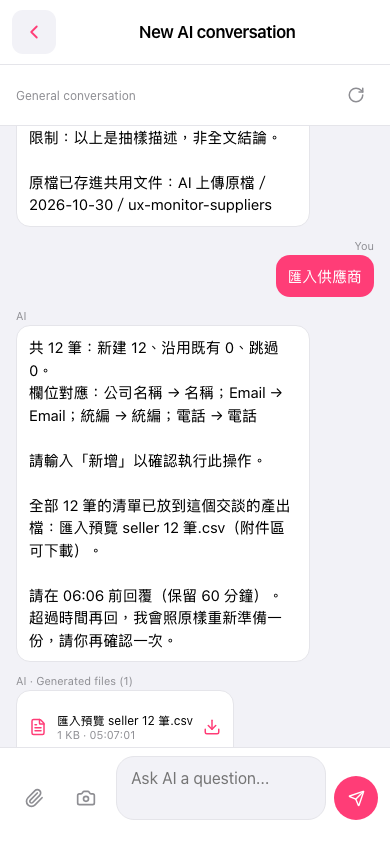 手機版|New AI conversation