
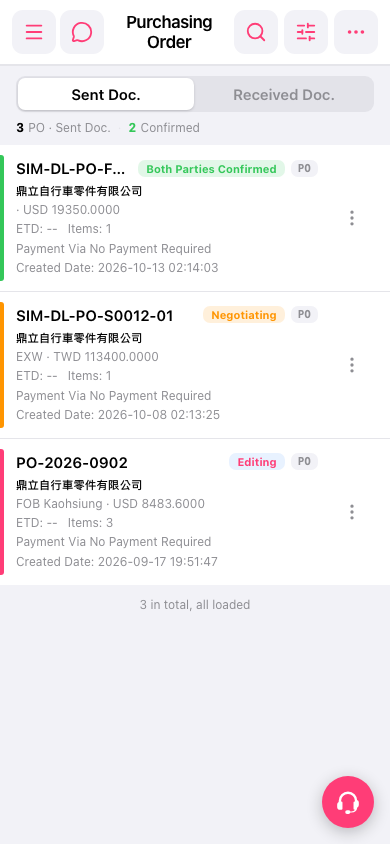
1. Open Patisco on your phone and go to the “Purchasing Order (PO)” page. 2. Look at the tabs at the top center of the page: “Sent Doc.” shows the POs you have sent, and “Received Doc.” shows the POs you have received. 3. Tap a tab to switch between the two. 4. Below the tabs there are statistics showing the number of POs sent and the number confirmed.
The result of this check: both the Sent and Received tabs display normally and can be switched.
 手機版|Purchasing Order(採購單)