
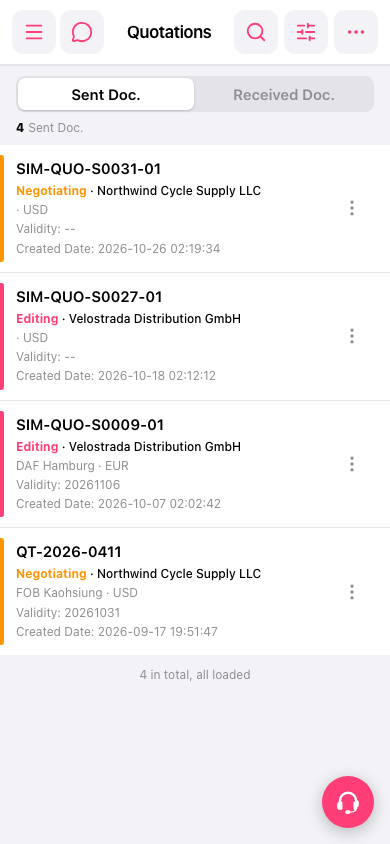
1. Go to the mobile Quotations page (https://mobile.patisco.com/main/quo). 2. Look at the tabs at the top of the page: “Sent Doc.” shows the quotations you have sent (selected by default when the page opens), and “Received Doc.” shows the quotations you have received. 3. Tap the tab you want to view to switch the list. 4. The list shows the quotation number, status, customer name, trading terms (for example DAF Hamburg, FOB Kaohsiung), currency, Validity, and Created Date. 5. Statuses are distinguished by color: orange is Negotiating, and pink is Editing.
 手機版|Quotations(報價單)