
1. On the Quotations page, tap the search icon at the top right and enter the quotation number or customer name. 2. You can also tap the filter icon (adjustment sliders) at the top right to set filter conditions. 3. Once you find the entry in the list, tap it to open it and view or edit the details. 4. For other actions, tap the “⋮” (three-dot menu) at the far right of that row and choose the action you want. 5. If you need other functions, you can also tap “More (...)” at the top right to open the additional actions menu.
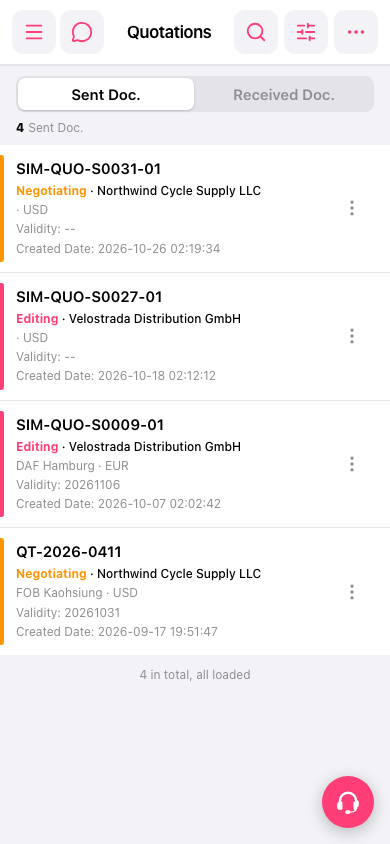 手機版|Quotations(報價單)