
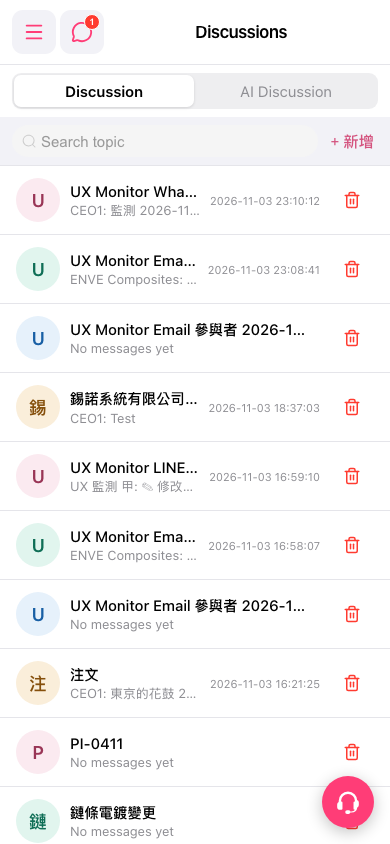
1. Go to the mobile Discussions page (URL: https://mobile.patisco.com/main/topic). 2. Make sure you are on the "Discussion" tab at the top. 3. In the "Search topic" field below the tabs, enter a keyword to find existing discussion topics. The list shows each topic's title, a preview of the latest message, and the time of the last message. 4. Tap a topic in the list to open it, where you can read messages and reply. 5. If you want help from the AI, switch to the "AI Discussion" tab.
 手機版|Discussions