
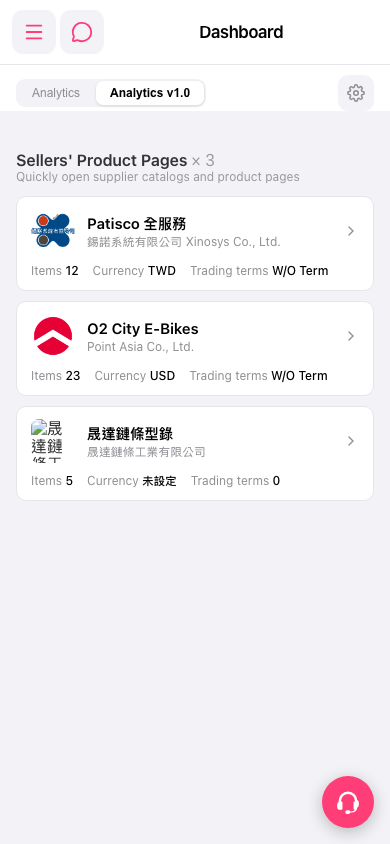
1. Open the mobile Dashboard (https://mobile.patisco.com/main/dashBoard). 2. In the center list, find the "Sellers' Product Pages" section. Each card shows the seller / company name, plus Items (number of items), Currency, and Trading terms. 3. Tap the seller card you want to view (for example O2 City E-Bikes, which has an arrow on the right side of the card). 4. Once you are in that supplier's catalog and product pages, you can browse or search products.
You can ask the AI: "How many seller catalogs are on the Dashboard?" The AI will reply: "seller catalogs on dashboard: 3" (there are currently three cards: Patisco 全服務, O2 City E-Bikes, and 晟達鏈條型錄).
 手機版|Dashboard