
1. On mobile, open the AI conversation screen (New AI conversation). 2. In the "Ask AI a question..." input box at the bottom, type "Import suppliers"; or tap the paperclip icon at the bottom left to attach a supplier file (for example, a csv), then tap the send (paper plane) button at the bottom right. 3. Read the import preview in the AI's reply and confirm the row count and column mapping (Company name → Name, Email → Email, Tax ID → Tax ID, Phone → Phone). 4. If everything looks right, within 60 minutes type "Add" in the input box and send it. The import is only actually executed after that.
You can ask: "Import suppliers" (with a csv of 12 rows attached). The AI will reply: "Import suppliers: AI total 12 rows: 12 new, 0 existing reused, 0 skipped... Please type 'Add' to confirm this operation."
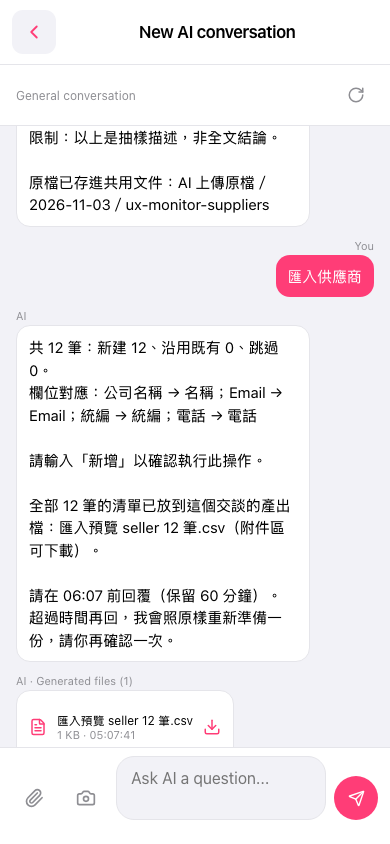 手機版|New AI conversation