
1. On the AI conversation page, look at the input bar at the bottom left. 2. To upload a file, tap the paperclip (attachment) icon. 3. To take a photo or choose an image, tap the camera icon to the right of the paperclip. 4. After typing your question, tap the pink paper plane button at the bottom right to send it. 5. To refresh or reload the current conversation, tap the refresh icon at the top right, on the same row as General conversation. 6. To go back to the previous page or the conversation list, tap the "<" back arrow at the top left.
Follow-up example: "Show me the item details of this order." The AI will then reply about that PO.
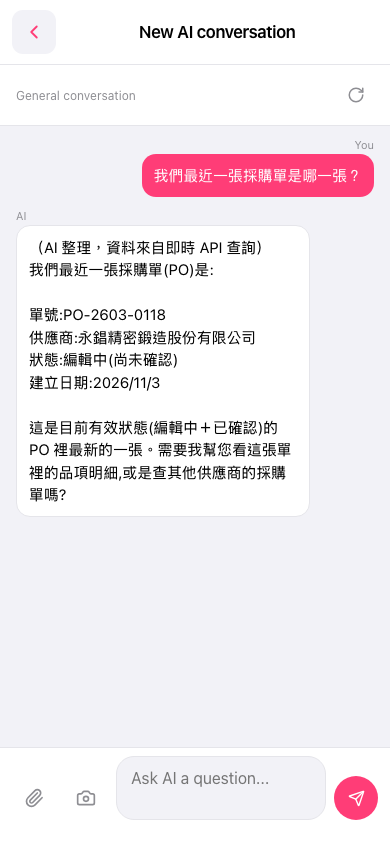 手機版|New AI conversation