
1. Open the mobile version at https://mobile.patisco.com/main/topic. The page title shows "Discussions". 2. If you are not on this page, tap the hamburger menu icon at the upper left to expand the sidebar, then select the discussion-related item. 3. There are two tabs at the top of the page: "Discussion" on the left is the regular discussion topic list (selected by default), and "AI Discussion" on the right is the AI discussion list. 4. To view AI discussions, tap "AI Discussion". To return to regular discussions, tap "Discussion" again. 5. Each row in the list shows an avatar, the topic name, a preview of the latest message, and the last updated time. Tap a row to enter the conversation and view the messages and participants.
Note: If the chat/notification icon next to the hamburger menu has a red badge (for example 1), it means you have unread messages.
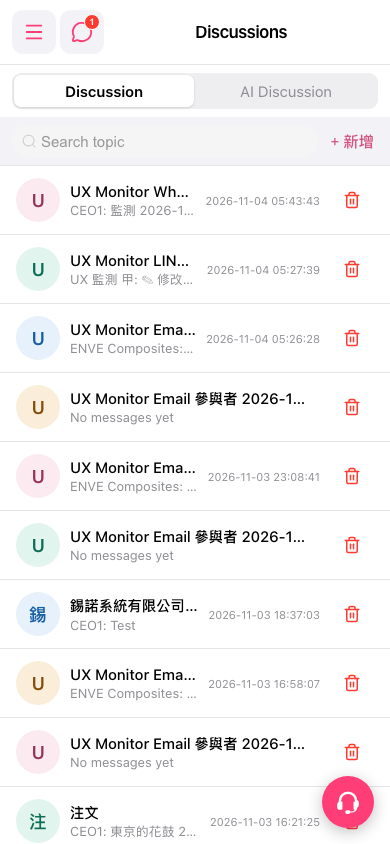 手機版|Discussions(討論)