
Search for a topic: 1. Tap the "Search topic" search bar below the tabs. 2. Enter a keyword, and the list will show the discussion topics related to that keyword.
Add a topic: 1. Tap "+ 新增" on the right side of the search bar. 2. Follow the on-screen instructions to fill in the topic and participants.
Delete a topic: 1. On the row of the topic you want to delete, tap the red trash can icon on the right. 2. Confirm following the on-screen prompt, and the topic will then be deleted. Please make sure you have selected the correct topic first.
When you need help, you can tap the customer support headset icon button at the lower right to open customer support.
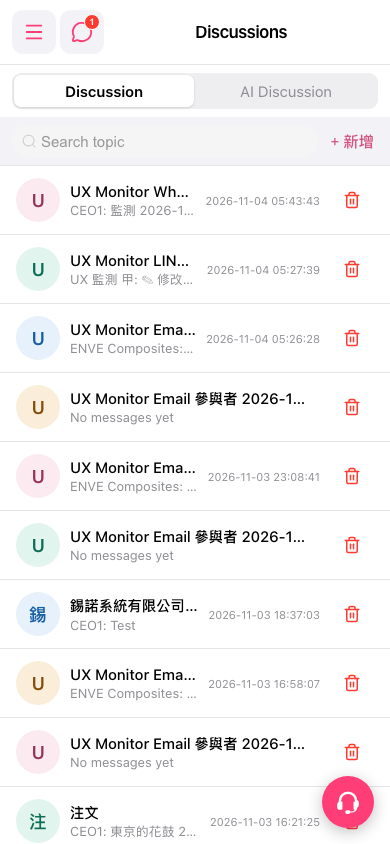 手機版|Discussions(討論)